Integrate with Advanced Installer

Advanced Installer (hereafter referred to as AI) is developed by Caphyon and is an installer packaging tool built on Windows Installer (MSI) technology.

Configuration

  1. Enable signing in Digital Signature and select 定制 as the signing tool.

  2. For Path, select the downloaded command-line signing tool executable.

  3. Enter the following command line:

    sign sign --access-key="xxx" --access-secret="xxx" --cert-code="xxx" --nest=true --sha1=false --sha2=true --timestamp-rfc3161=http://timestamp.acs.microsoft.com --desc="[|ProductName]" --override=true --file
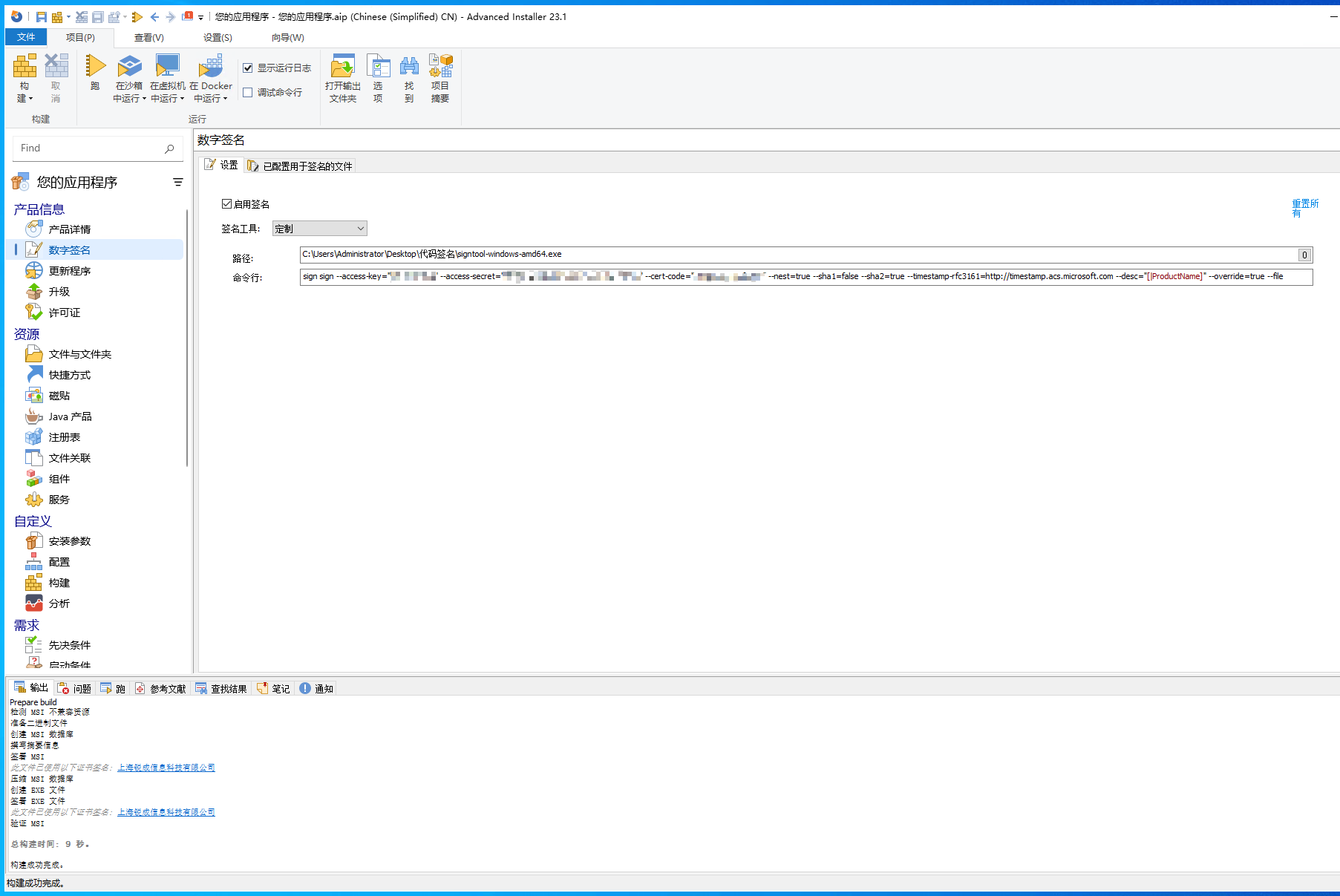
    advanced-installer-integration

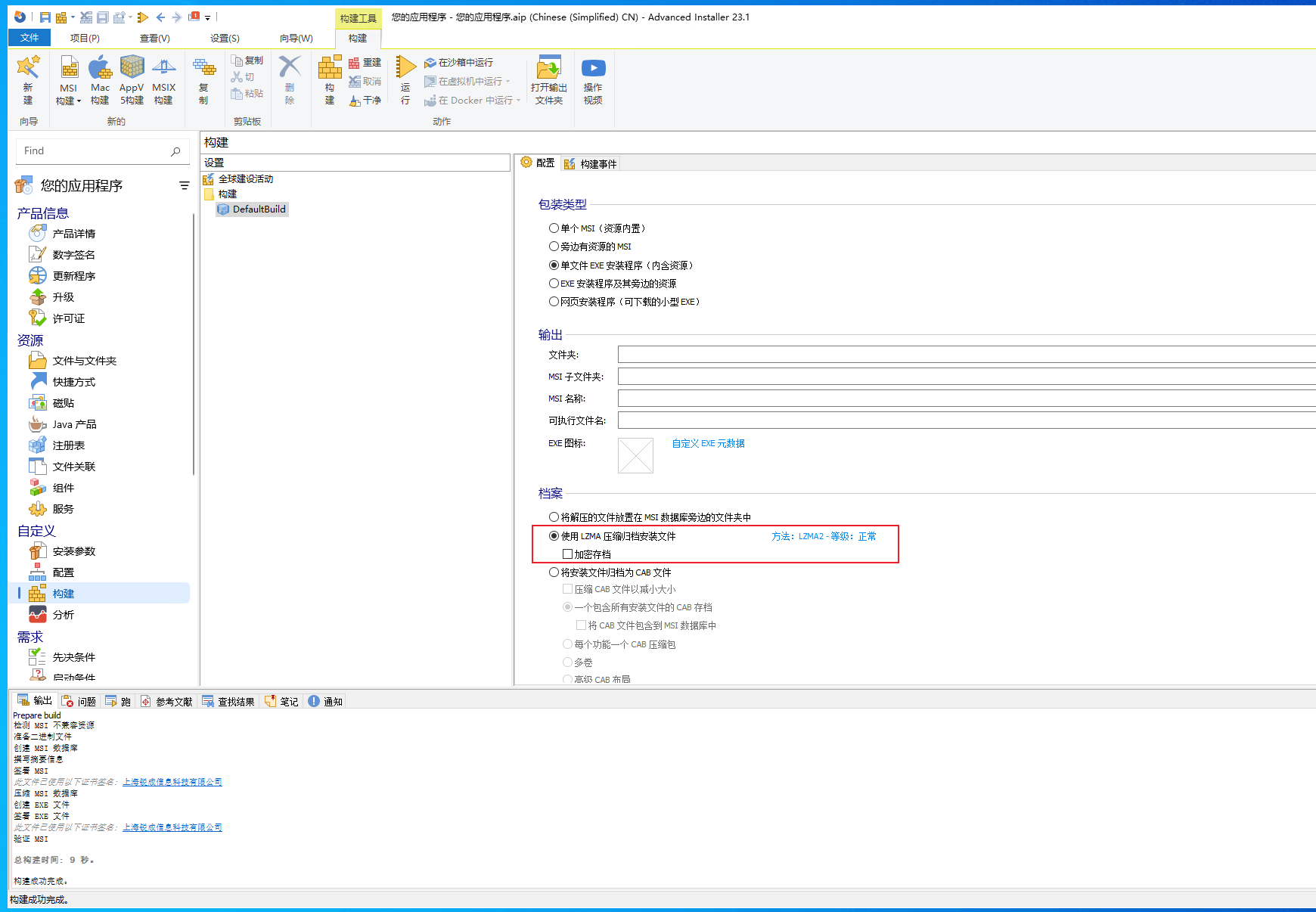
  4. In 构建, you need to change the default Archive installation files into CAB files option to Archive installation files using LZMA compression.

    advanced-installer-integration

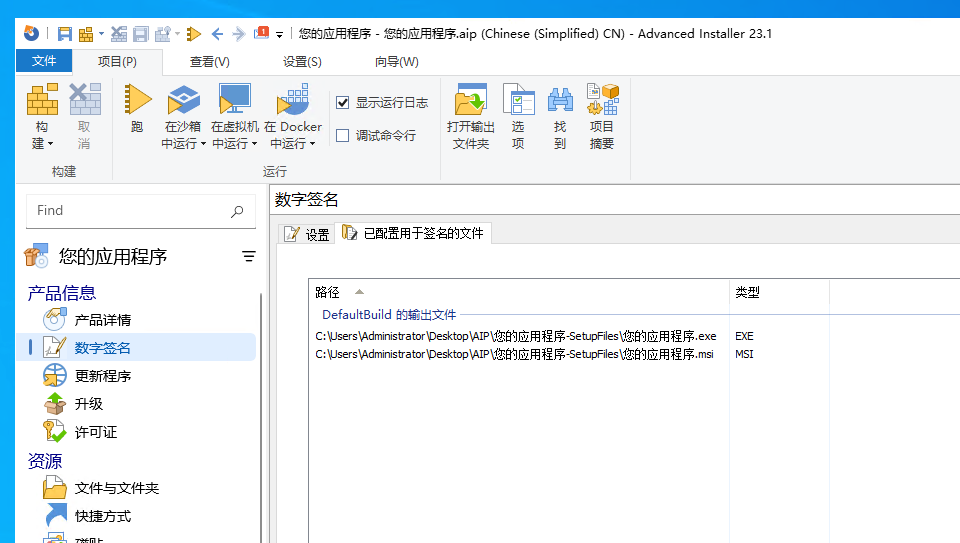
  5. After modifying all configurations, you can view the files to be signed in Files configured for signing under Digital Signature, which also indicates the number of signing operations.

    advanced-installer-integration