Quick Start Guide for Official SSL Certificates

For instructions on self-service SSL certificate purchase on the Racent platform, please refer to the steps below.

Purchase Certificates

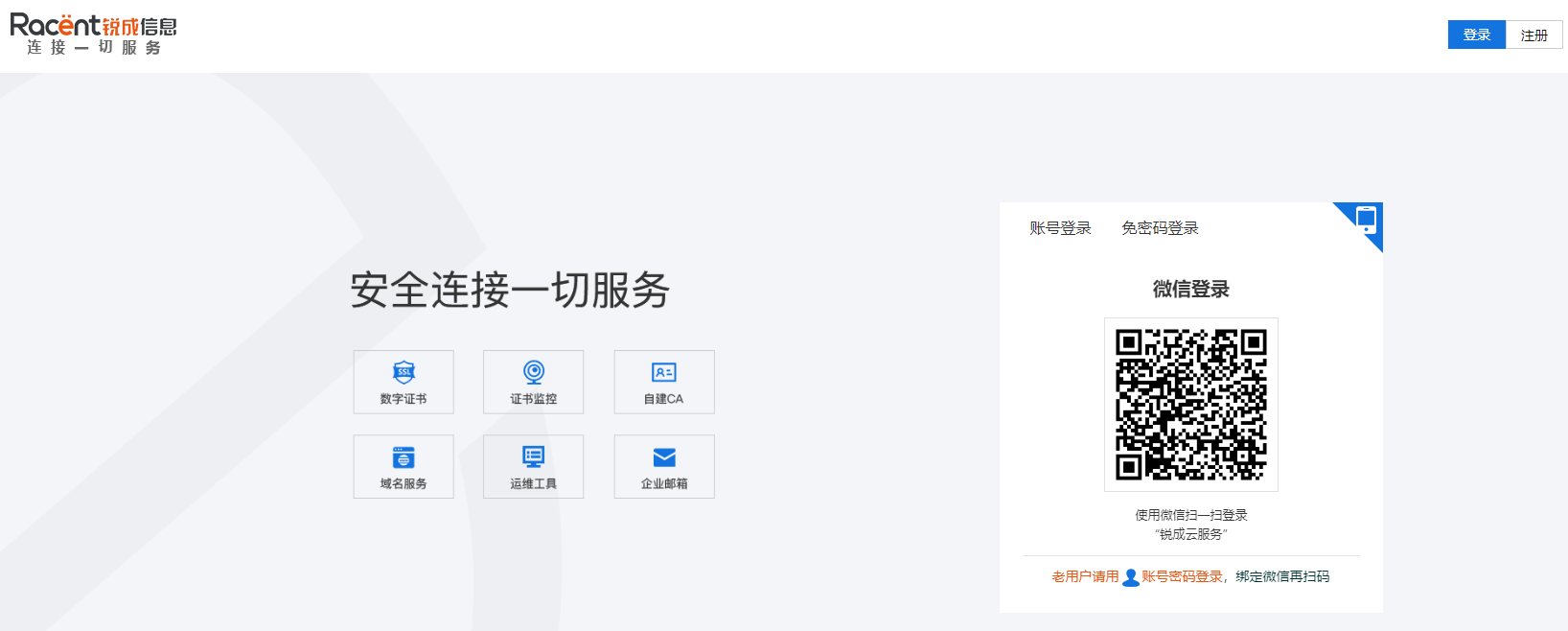
  1. Log in to the Racent Cloud Console. Enter the Racent website

    Click Log In, as shown in the figure (if you do not have an account, please register first. Registration link: https://console.racent.com/register)

    buysslstepbystep

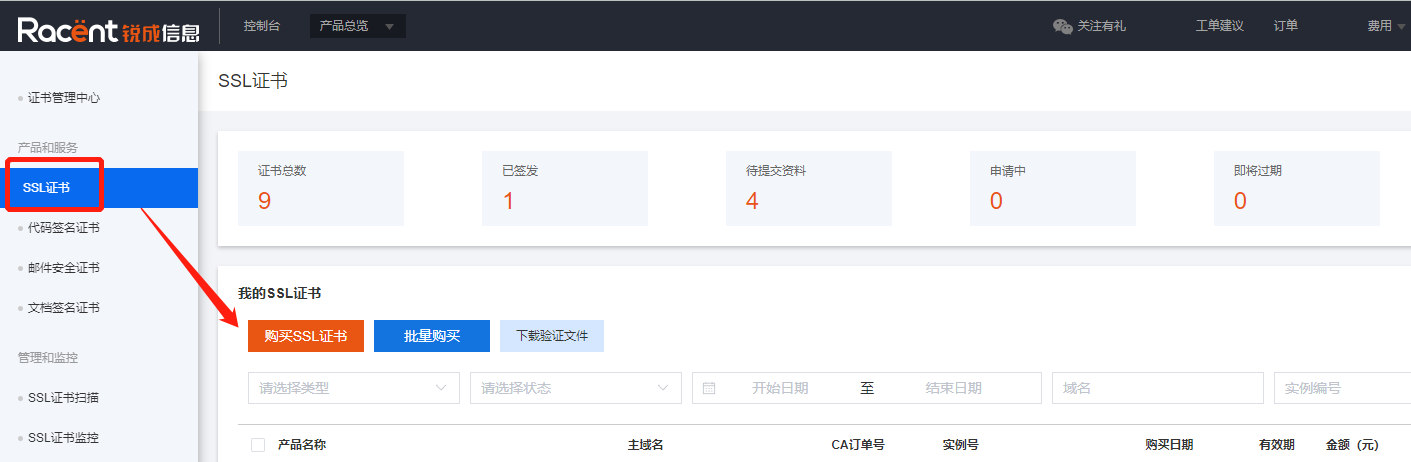
  2. Select and purchase an SSL certificate. After entering the Racent Console, select SSL Certificates under Products & Services, click Purchase SSL Certificates, and enter the SSL certificate list page.

    buysslstepbystep

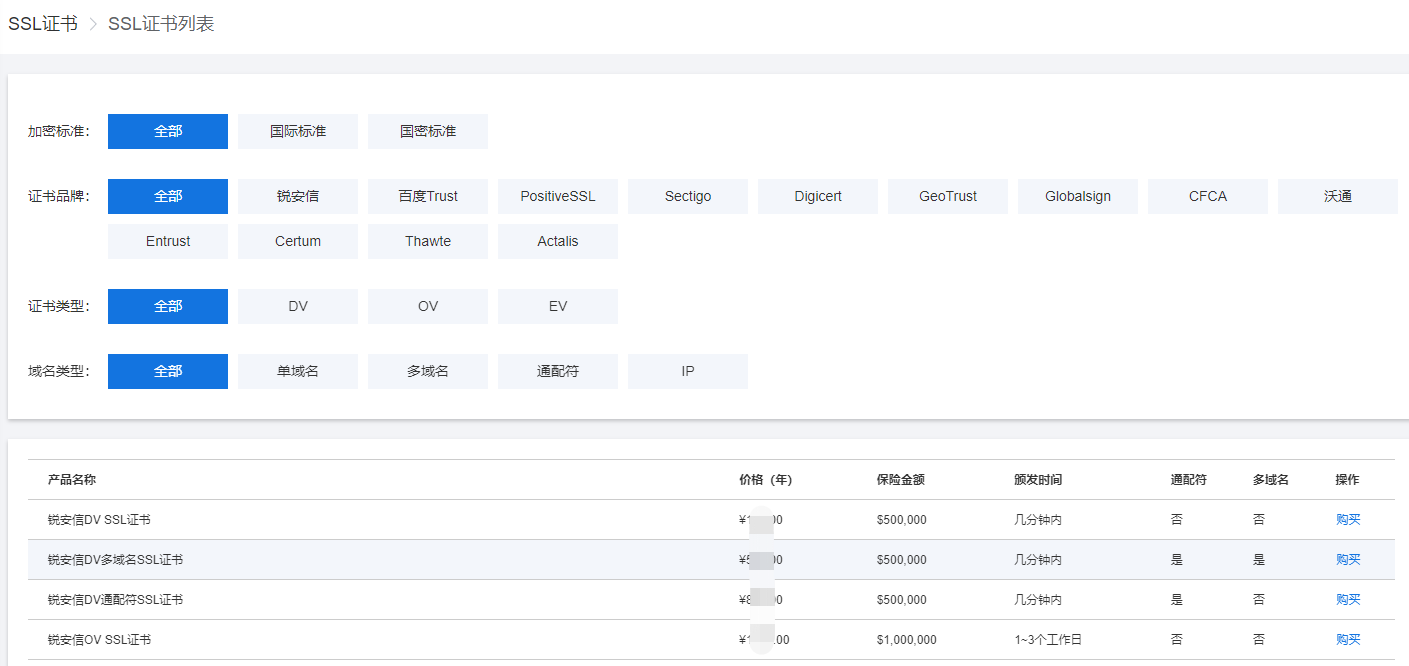
    On the SSL certificate list page, you can filter the SSL certificates you need by encryption standard, certificate brand, certificate type, and domain name type on this interface.

    buysslstepbystep

    Click the Purchase button to the right of the corresponding certificate to purchase directly. You can select the purchase quantity and duration on the purchase page.

    Tip

    If you need to purchase other products, you can add your desired products to the shopping cart and pay for all products together after you finish selecting them.

  3. Complete the payment. Racent supports three payment methods: balance payment, which requires recharging first before making a purchase; WeChat Pay and Alipay.

    buysslstepbystep

    By following the operations above, you can purchase certificates self-service in the Racent Console.

    If you are not sure which type of certificate to choose, you can contact Racent customer service for assistance.