Integración con Electron Builder
Este documento describe cómo integrar el servicio de firma de código remoto en el proceso de compilación de aplicaciones Electron, utilizando electron-builder para firmar automáticamente los paquetes de instalación y archivos ejecutables para la plataforma Windows.
Aquí se utiliza un proyecto de código abierto para realizar pruebas vite-electron-builder.
Requisitos previos
- Ya debe tener una cuenta válida del servicio de firma de código remoto sslTrus y haber obtenido credenciales de acceso válidas (AK/SK).
- Ya debe contar con un servicio de firma de código remoto para firmar.
- El proyecto se compila sobre la base de
electron-builder.
Pasos de integración
Paso 1: Configurar el archivo de Electron Builder
En el directorio raíz de su proyecto Electron, busque y modifique el archivo electron-builder.mjs (o electron-builder.yml/config.js).
A continuación se muestra un ejemplo de configuración completo. Debe modificar la configuración predeterminada y agregar el método de firma personalizado signtoolOptions.sign.
export default /** @type import('electron-builder').Configuration */
({
  win: {
    target: [
      {
        target: 'nsis',
        arch: ['x64'],
      },
    ],
    signtoolOptions: {
      sign: customSign,
      signingHashAlgorithms: ['sha256'], // 这里只需要选择一个即可,实际的双签由 customSign 执行
    },
  },
});

async function customSign(configuration) {
  const srcPath = configuration.path;
  const cwd = process.cwd();
  const relPath = relative(cwd, srcPath);

  // 设置环境变量 export SIGNTOOL_ACCESS_KEY='' SIGNTOOL_ACCESS_SECRET='' SIGNTOOL_CERT_CODE=''
  const {SIGNTOOL_ACCESS_KEY, SIGNTOOL_ACCESS_SECRET, SIGNTOOL_CERT_CODE} = process.env;
  if (!SIGNTOOL_ACCESS_KEY || !SIGNTOOL_ACCESS_SECRET || !SIGNTOOL_CERT_CODE) {
    console.error(`[ERROR] Missing environment variables: SIGNTOOL_ACCESS_KEY, SIGNTOOL_ACCESS_SECRET, SIGNTOOL_CERT_CODE`);
    return;
  }

  // 下载对应平台的命令行工具
  const signtoolPath = join(cwd, 'signtool', 'signtool');
  const dir = dirname(srcPath);
  const ext = extname(srcPath);
  const name = basename(srcPath, ext);
  const randomStr = randomBytes(4).toString('hex');
  const tempPath = join(dir, `${name}-${randomStr}${ext}`);

  const startTime = Date.now();

  try {
    console.log(`[SIGNING] ${relPath}`);

    const logFilePath = join(cwd, 'signtool', name + '.log');
    writeFileSync(logFilePath, `Source: ${srcPath}\nTime: ${new Date().toLocaleString()}\n\n`);
    const logFd = openSync(logFilePath, 'a');

    // 签名默认不会覆盖源文件,且目标文件不存在,所以先将源文件重命名为临时文件
    renameSync(srcPath, tempPath);

    // 参数可参考 signtool 命令行解析
    const command = [
      signtoolPath,
      'sign',
      `-k "${SIGNTOOL_ACCESS_KEY}"`,
      `-s "${SIGNTOOL_ACCESS_SECRET}"`,
      `-c "${SIGNTOOL_CERT_CODE}"`,
      `-f "${tempPath}"`, // 源文件
      `-o "${srcPath}"`,  // 目标文件
      '--nest=true', // 嵌套签名
      '--sha1=false', // sha1 签名,对于 bool 值的参数传递需要使用 arg=value 的方式,不可使用 arg value 的形式
      '--timestamp http://timestamp.sectigo.com',
      '--sha2=true', // sha2 签名
      '--timestamp-rfc3161 http://timestamp.sectigo.com',
    ].join(' ');

    // 将 signtool 的日志输出到文件
    execSync(command, {stdio: ['ignore', logFd, logFd]});

    // 删除临时文件
    rmSync(tempPath, {force: true});

    const duration = ((Date.now() - startTime) / 1000).toFixed(2);
    console.log(`[SUCCESS] Finished in ${duration}s -> ${relPath}`);
  } catch (e) {
    console.error(`[FAILURE] Failed to sign: ${relPath}`);
    console.error(`          Check log: signtool/${name}.log`);
    process.exit(1);
  }
}
Paso 2: Compilación
Una vez completada la configuración, ejecute su comando de compilación de Electron. Durante el proceso de compilación, se llamará automáticamente a la función de firma personalizada mencionada anteriormente.
# 示例:构建 Windows 64位 安装包
npm run compile -- --win --x64
# 或使用 npx
npx electron-builder build --config electron-builder.mjs --win --x64
Proceso de compilación
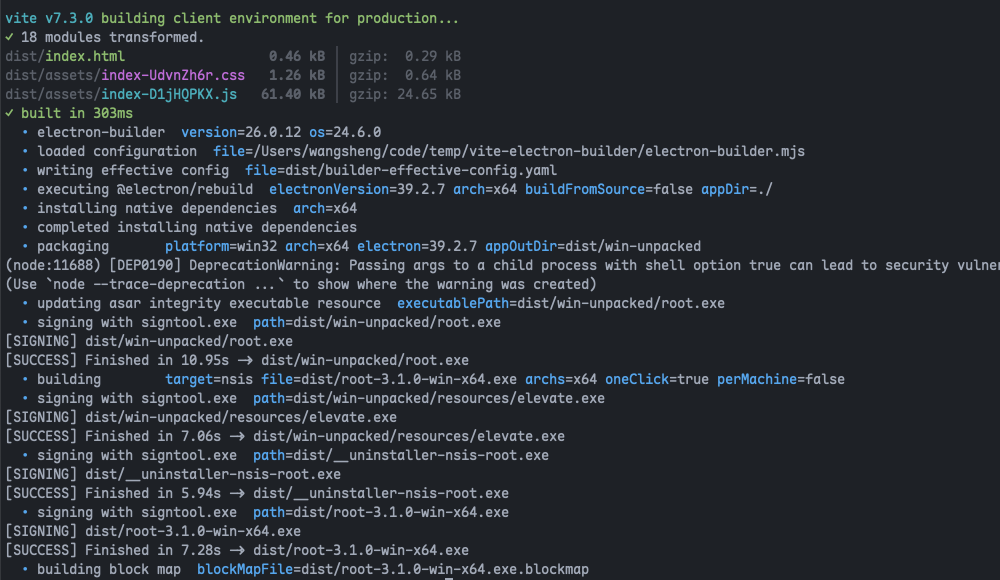
Resultado de la compilación
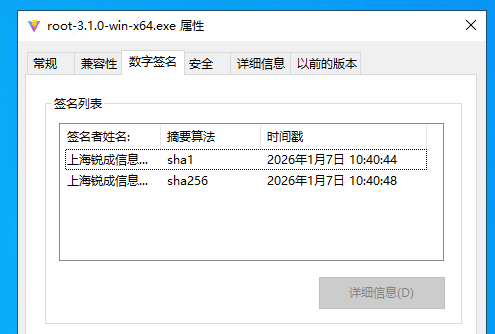
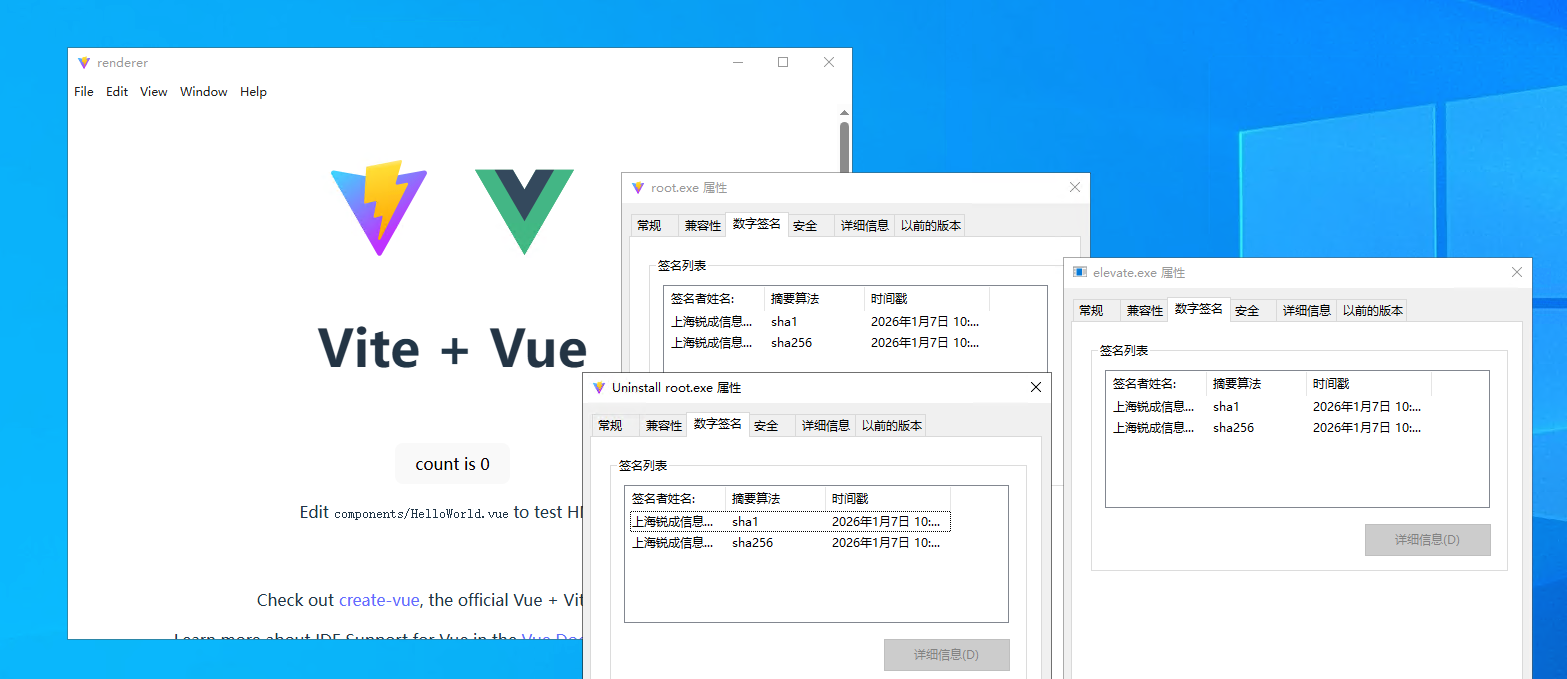
Tanto el paquete de instalación como el programa principal están firmados