Issues related to DNS record propagation

Are the DNS records active?

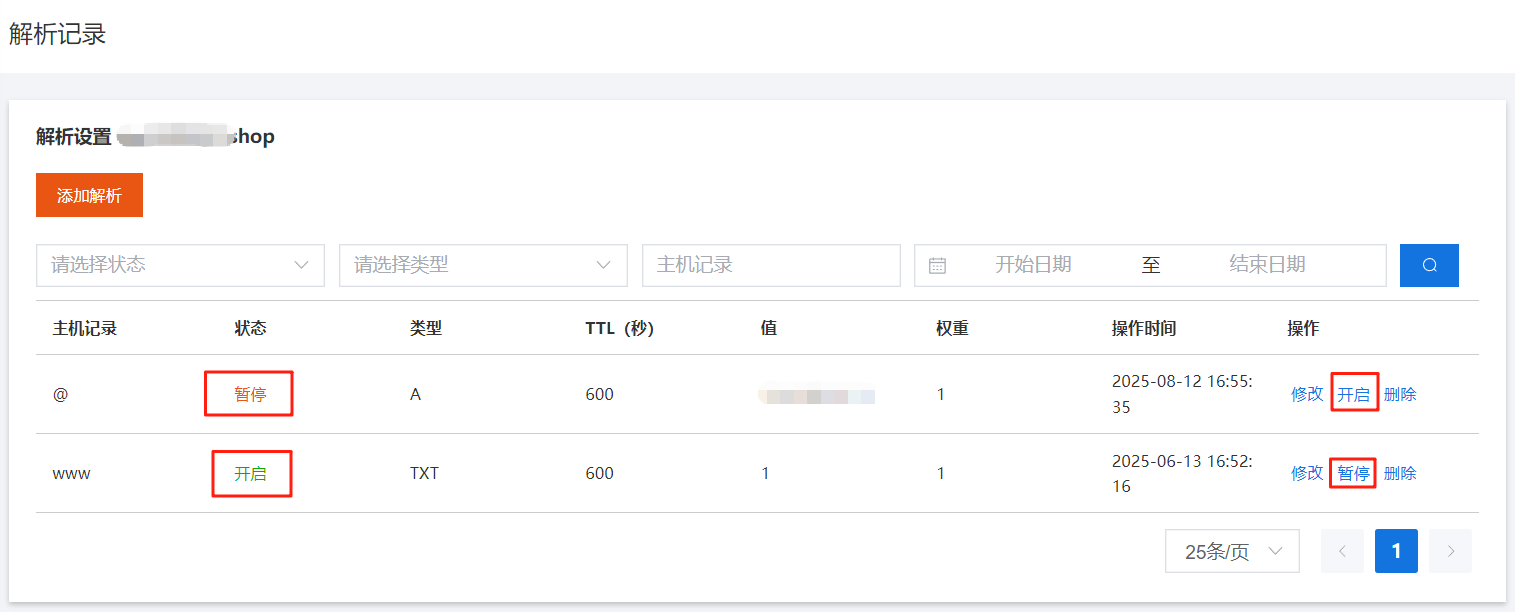
After adding DNS records, confirm the record status is Enabled. Records in the Paused status will not take effect.

Check if DNS records are active

Method 1: Use the Racent DNS lookup tool

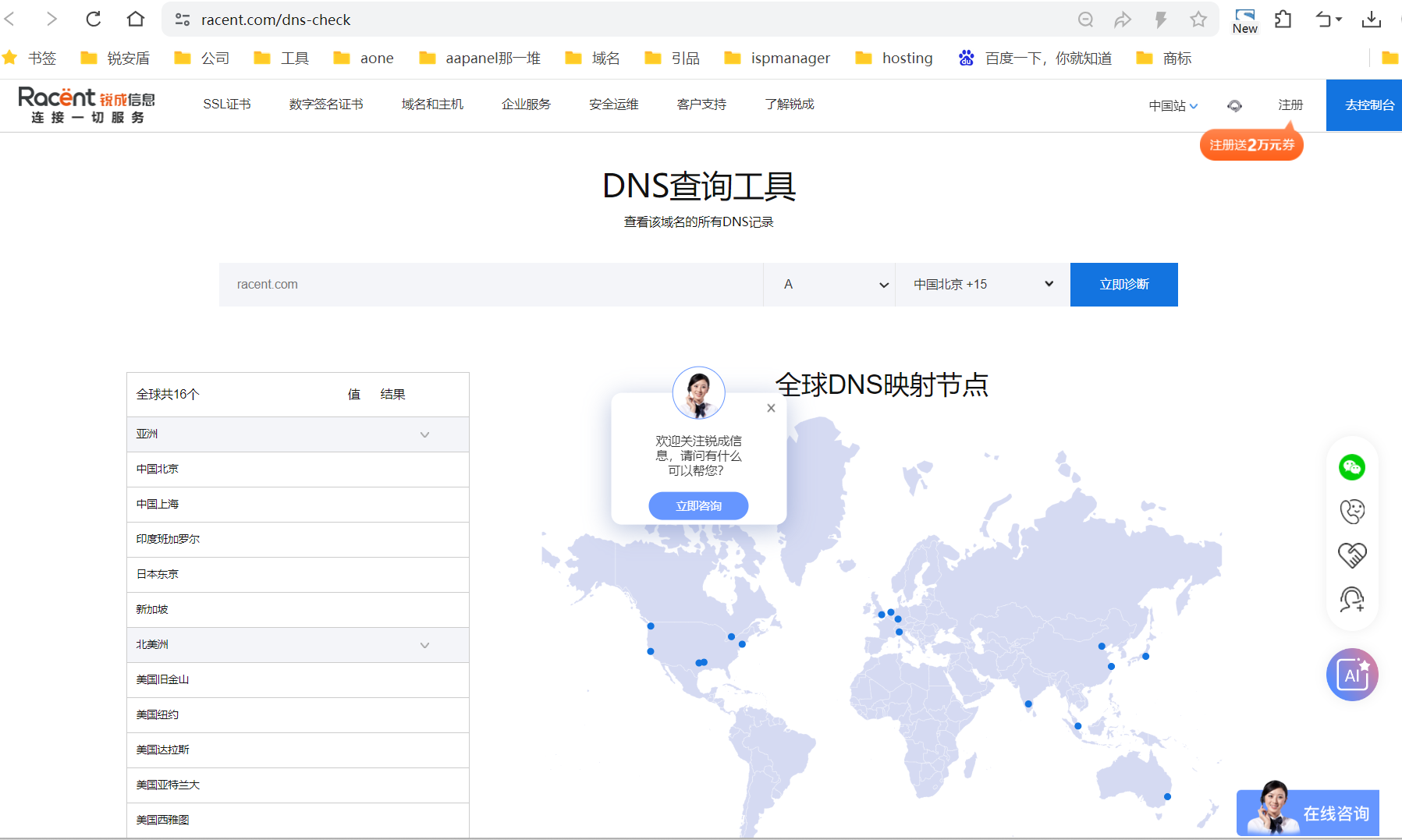
Click to use: DNS Lookup Tool

Use the Racent DNS lookup tool

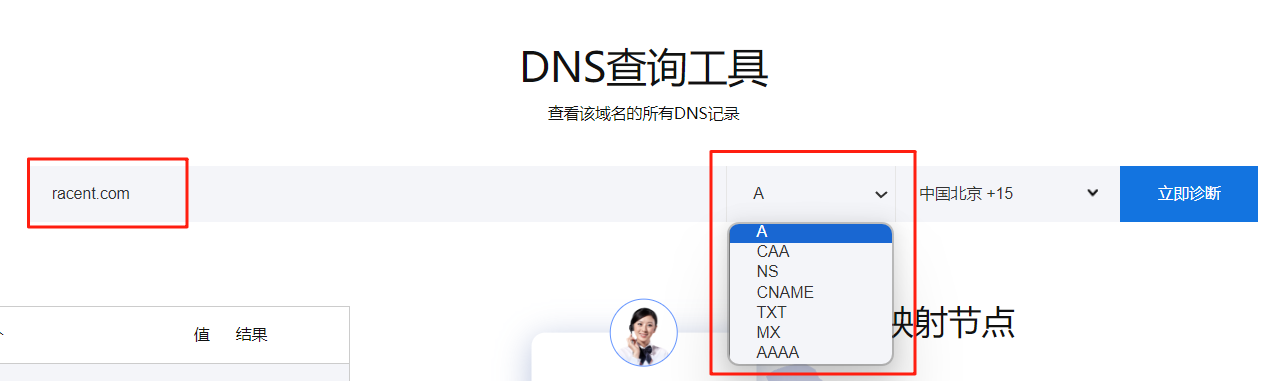
Enter the DNS record you need to query, select the record type, then click Diagnose Now.

Use the Racent DNS lookup tool

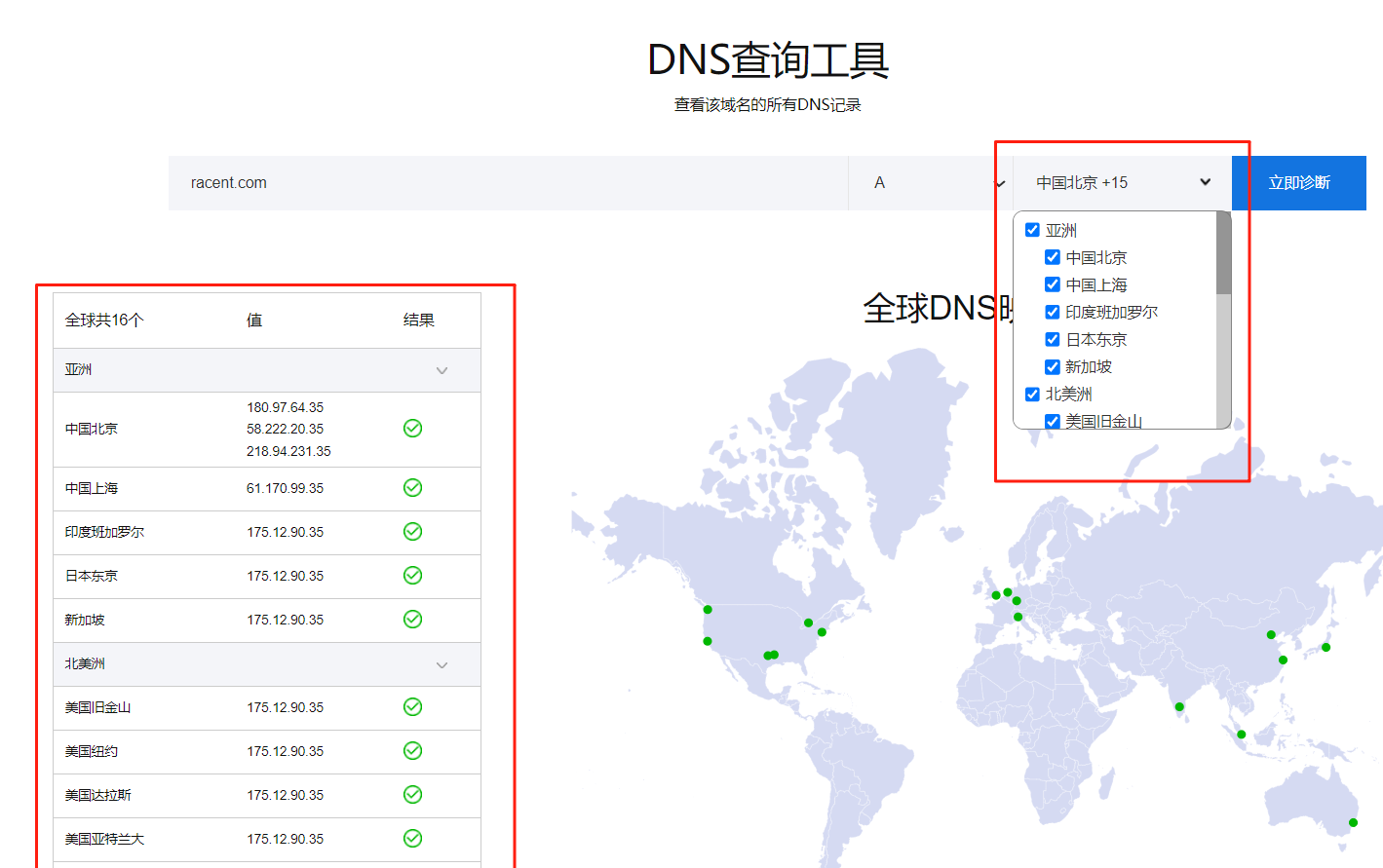
The interface will display the query result of the selected node's DNS record value. If the result shows a green checkmark and the value matches the configured DNS record value, the record has successfully propagated.

Use the Racent DNS lookup tool

Method 2: Query via command line

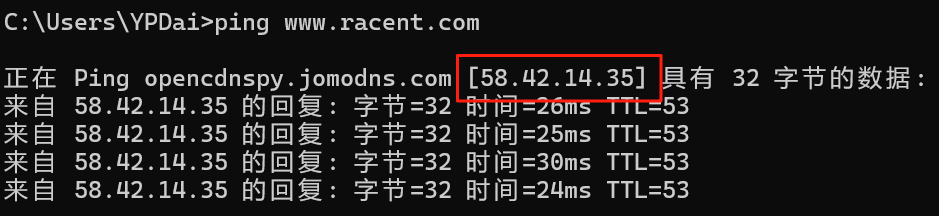
1. Query with ping command ping 域名

Query via command line

2. Query with nslookup command

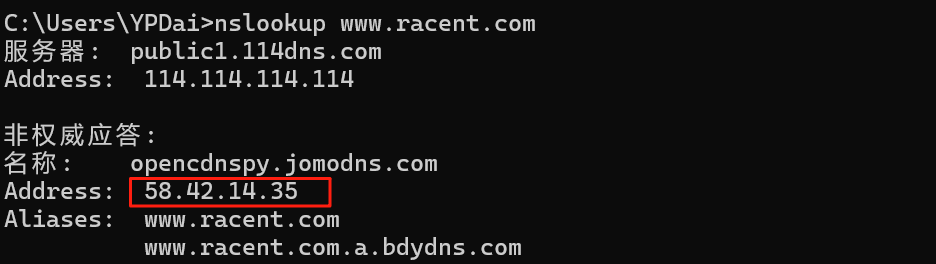
Query A record nslookup 域名

Command query method

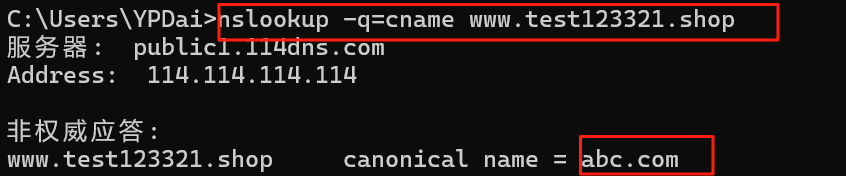
Query CNAME records nslookup -q=cname 域名

Command query method

Similar examples:

Query MX records nslookup -q=mx 域名

Query NS records nslookup -q=ns 域名

FAQ

The website cannot be accessed after DNS resolution transfer?

If it has been less than 48 hours since the resolution records were transferred, the issue may be caused by differences in TTL settings for DNS servers across different top-level domains (TLDs). As a result, the newly modified DNS resolution may take between 0 and 48 hours to take effect globally.
If it has not yet been 48 hours since you changed the DNS address, confirm the following items and wait:

  1. All resolution records have been set correctly and are consistent with the original resolution configuration.

  2. If you need to add, modify, or delete resolution records during this period, please ensure that you perform the same operations on both the original and new resolution platforms to maintain consistency of resolution records.

The website or service suddenly becomes unavailable without any changes to resolution records?

Possible causes and troubleshooting suggestions:

  1. Check whether the domain name has expired, been suspended, or locked, which causes resolution anomalies.

  2. Confirm whether the DNS resolution service package you purchased has expired.

  3. Troubleshoot issues such as web server outages, network failures, or firewall policy adjustments.

  4. Check whether the configurations of CDN, load balancers, or security devices are abnormal.

If none of the above issues are found, please contact Racent technical support team for assistance as soon as possible.

Why is the website still inaccessible after the domain name resolution has taken effect?

If your domain name resolution has taken effect but the website remains inaccessible, the following causes may exist:

  1. Incorrect resolution record configuration
    Please confirm whether the domain name resolution records are configured correctly, especially check for spelling or filling errors in values such as IP addresses and CNAME records.

  2. Web server issues
    Check whether specific error codes (such as 502, 403, etc.) appear during access. It is recommended to contact your server provider or website technical personnel to troubleshoot server-side issues.

  3. ICP filing not completed
    If your server is located in Chinese Mainland, according to the regulations of the Ministry of Industry and Information Technology, the website must complete ICP filing before it can be accessed normally. Please ensure that the filing procedures have been completed and approved.