Advanced Installer와 통합
Advanced Installer(이하 AI)는 Caphyon사가 개발한 Windows Installer (MSI) 기술 기반 설치 패키지 제작 도구입니다.
구성
-
디지털 서명에서 서명을 활성화하고 서명 도구를定制로 선택합니다. -
경로에서 다운로드한 명령줄 서명 도구 실행 파일을 선택합니다.
-
명령줄에 입력합니다.
sign sign --access-key="xxx" --access-secret="xxx" --cert-code="xxx" --nest=true --sha1=false --sha2=true --timestamp-rfc3161=http://timestamp.acs.microsoft.com --desc="[|ProductName]" --override=true --file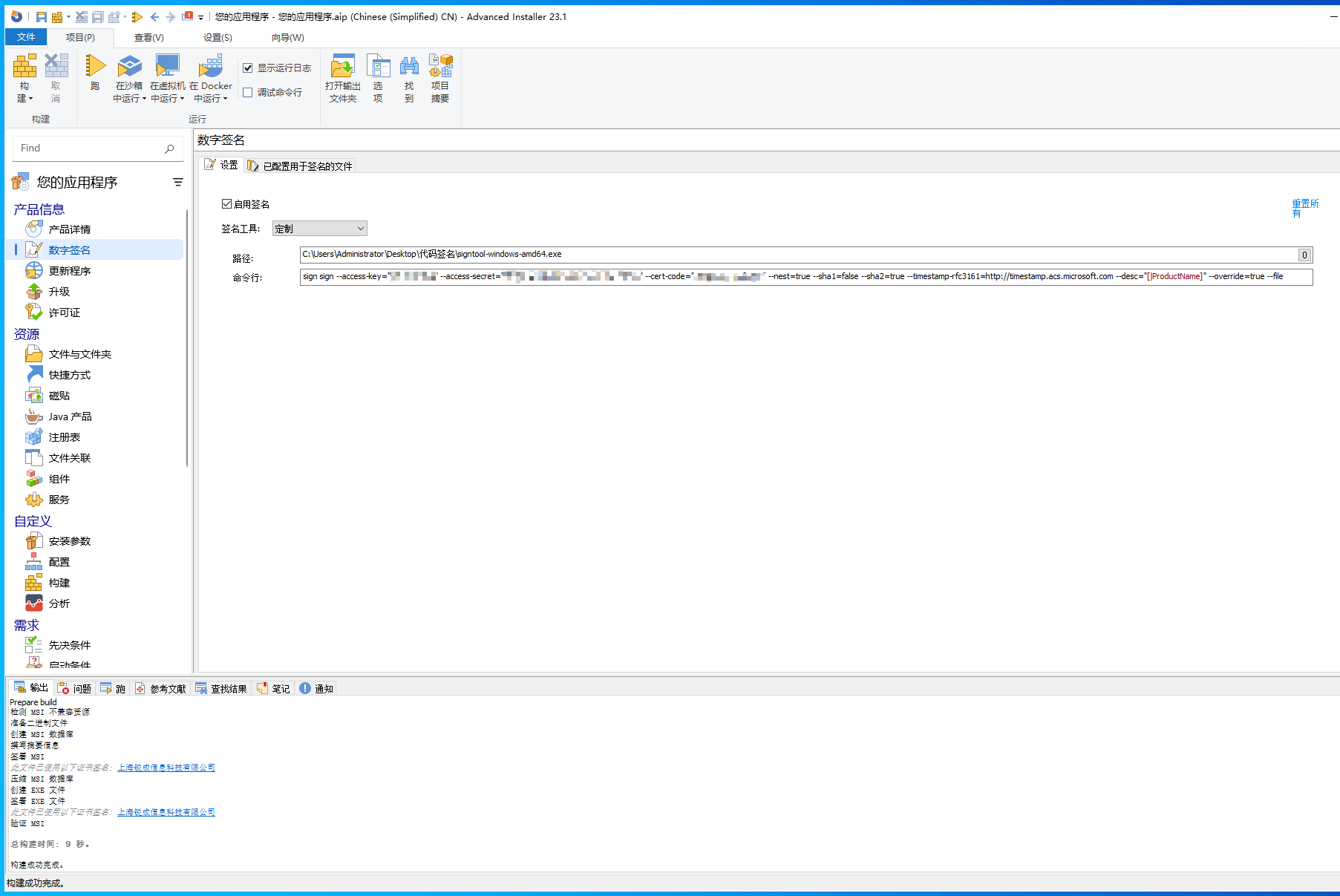
-
构建에서 기본값인설치 파일을 CAB 파일로 보관을LZMA 압축으로 설치 파일 보관으로 변경해야 합니다.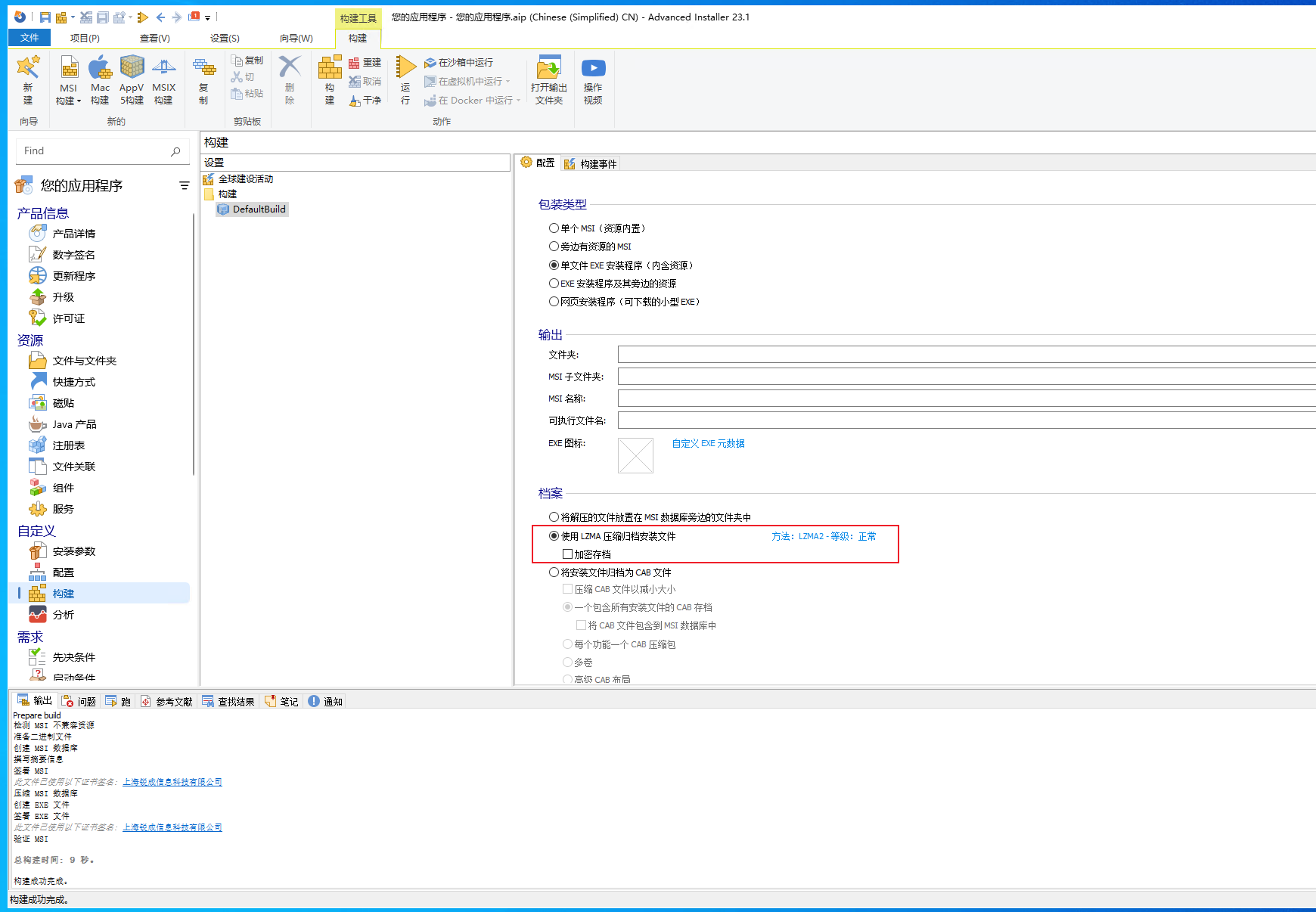
-
모든 구성을 수정한 후
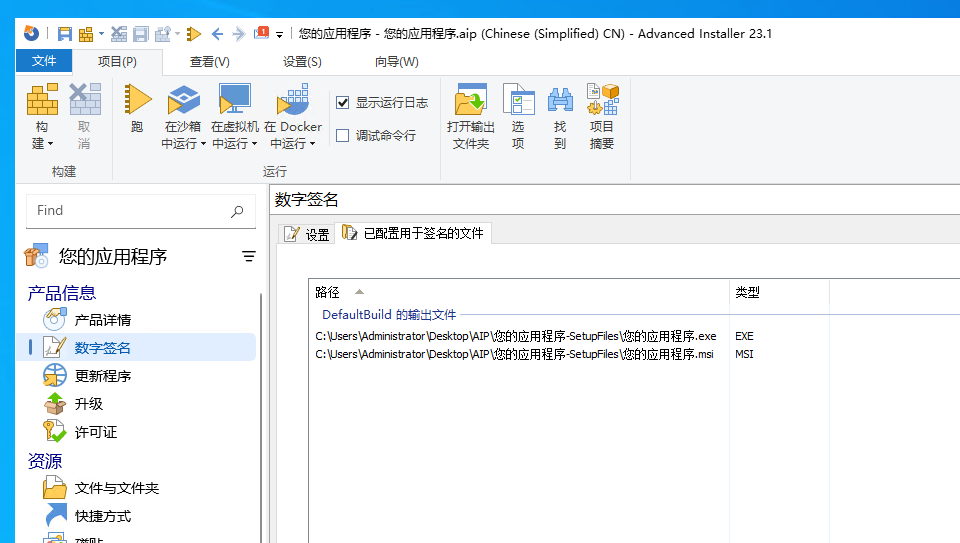
디지털 서명의서명하도록 구성된 파일에서 서명할 파일, 즉 서명 횟수를 확인할 수 있습니다.