與 Advanced Installer 整合
Advanced Installer(以下簡稱 AI)由 Caphyon 公司開發,是一款基於 Windows Installer (MSI) 技術的安裝包製作工具。
配置
-
在
數位簽章中啟用簽名並選擇簽名工具為定制 -
路徑選擇下載好的命令列簽名工具可執行檔案
-
命令列輸入
sign sign --access-key="xxx" --access-secret="xxx" --cert-code="xxx" --nest=true --sha1=false --sha2=true --timestamp-rfc3161=http://timestamp.acs.microsoft.com --desc="[|ProductName]" --override=true --file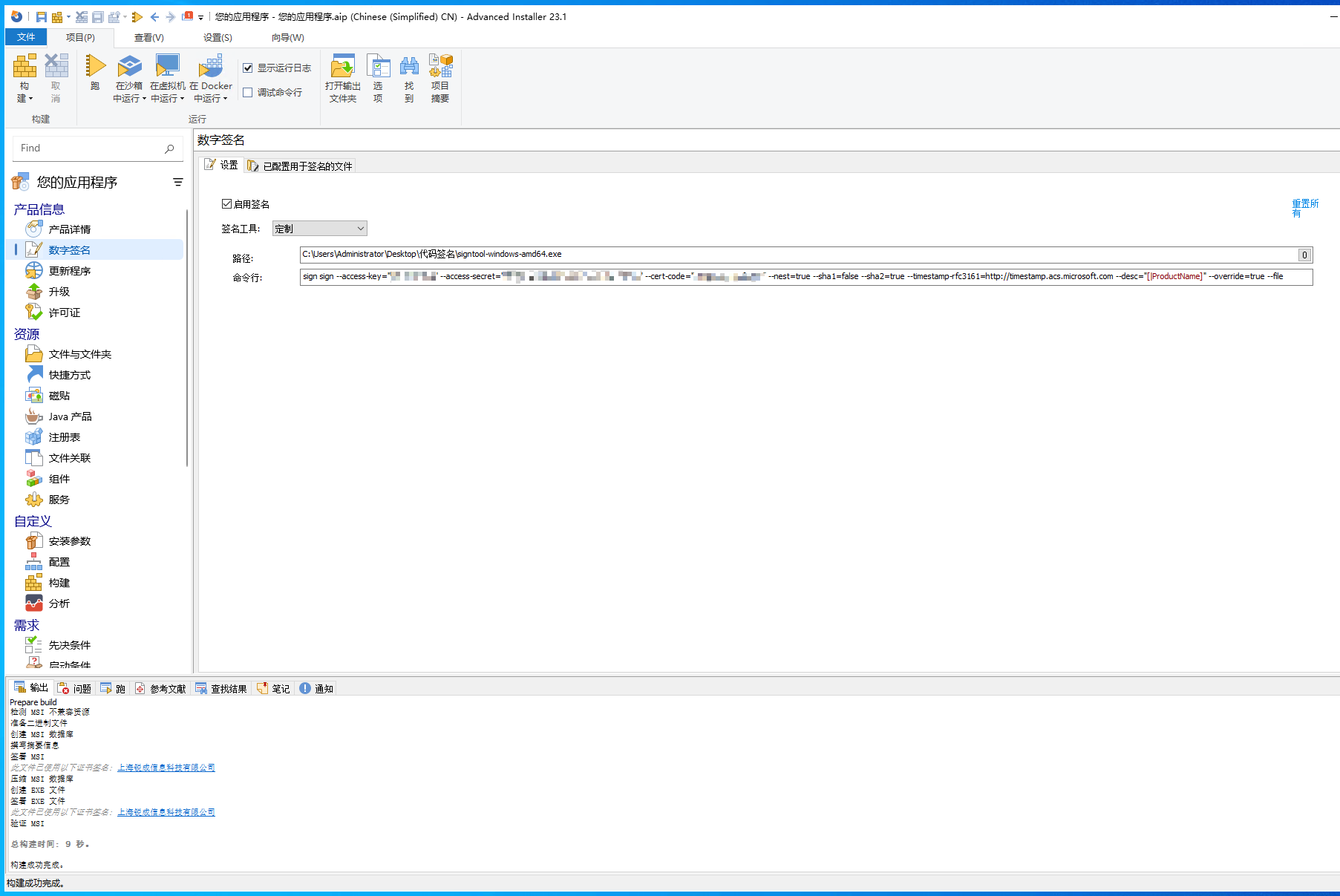
-
在
构建中,需修改預設的將安裝檔案歸檔為CAB檔案改為使用LZMA壓縮歸檔安裝檔案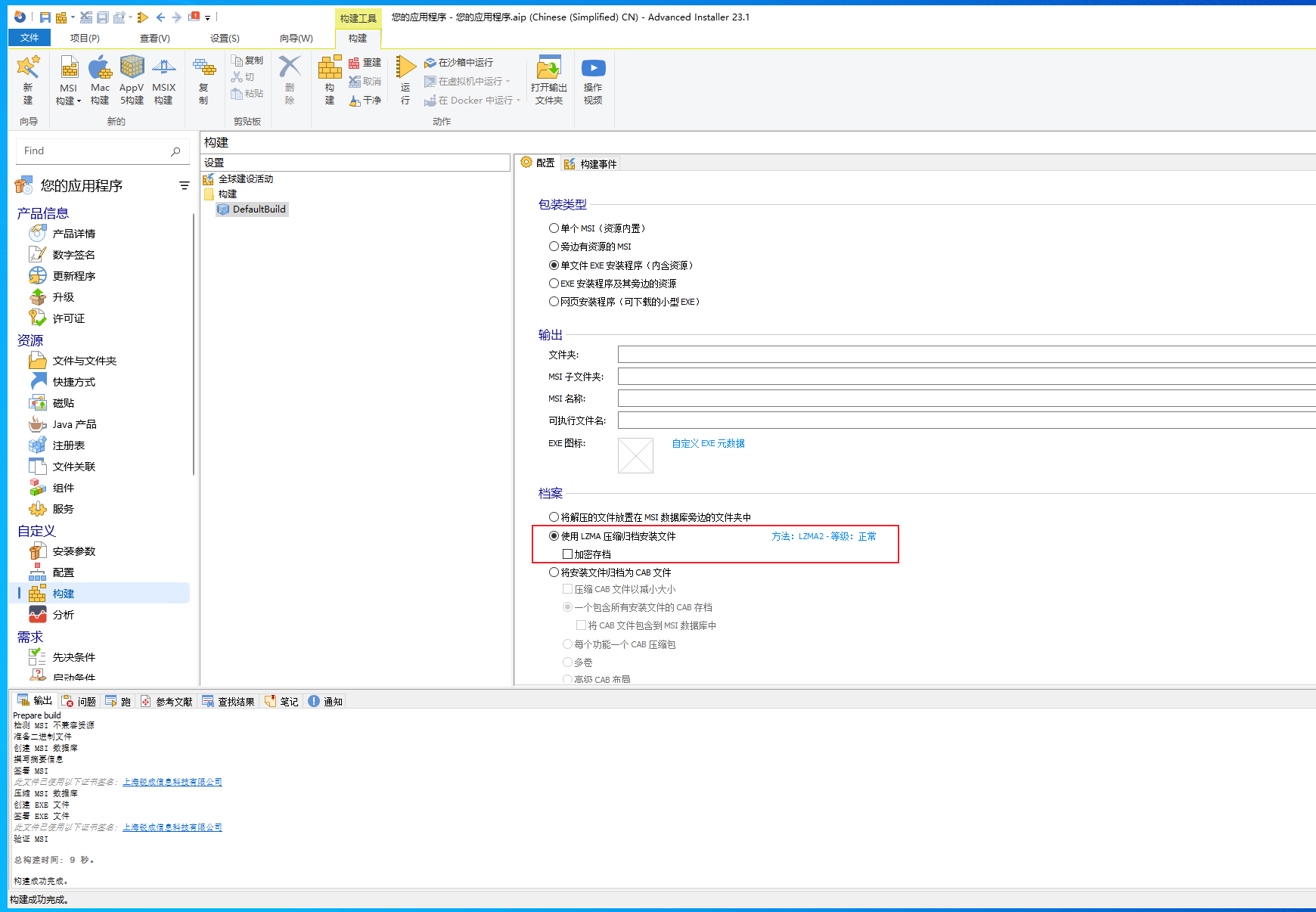
-
修改完所有配置後,在
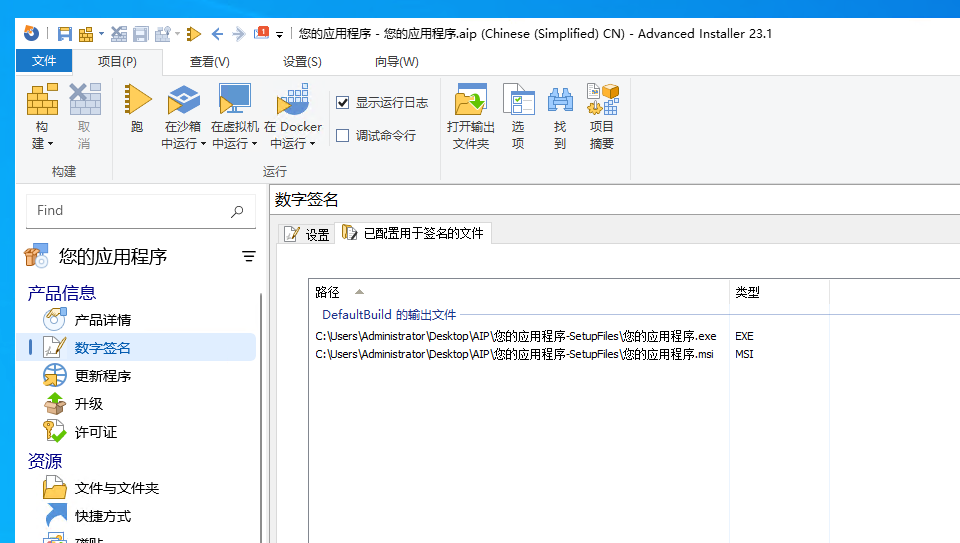
數位簽章中已配置用於簽名的檔案中可以看到待簽名的檔案,也就是簽名次數