Integration with Advanced Installer
Advanced Installer (hereinafter referred to as AI) is an installation package creation tool developed by Caphyon, built on Windows Installer (MSI) technology.
Configuration
-
Enable signing in
Digital Signatureand select the signing tool as定制 -
Select the downloaded command-line signing tool executable file as the path
-
Command line input
sign sign --access-key="xxx" --access-secret="xxx" --cert-code="xxx" --nest=true --sha1=false --sha2=true --timestamp-rfc3161=http://timestamp.acs.microsoft.com --desc="[|ProductName]" --override=true --file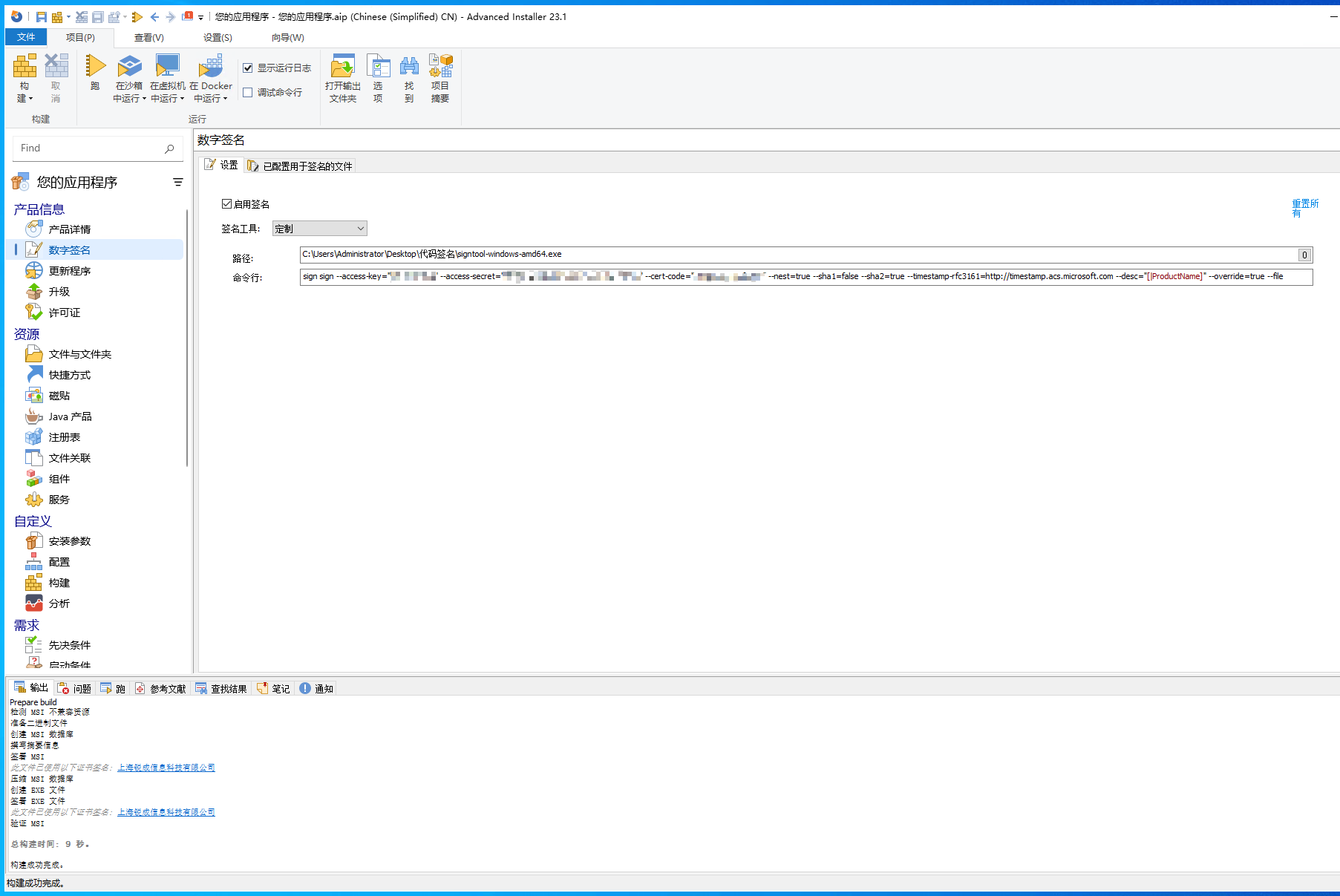
-
In
构建, change the defaultArchive installation files into CAB filestoUse LZMA compression to archive installation files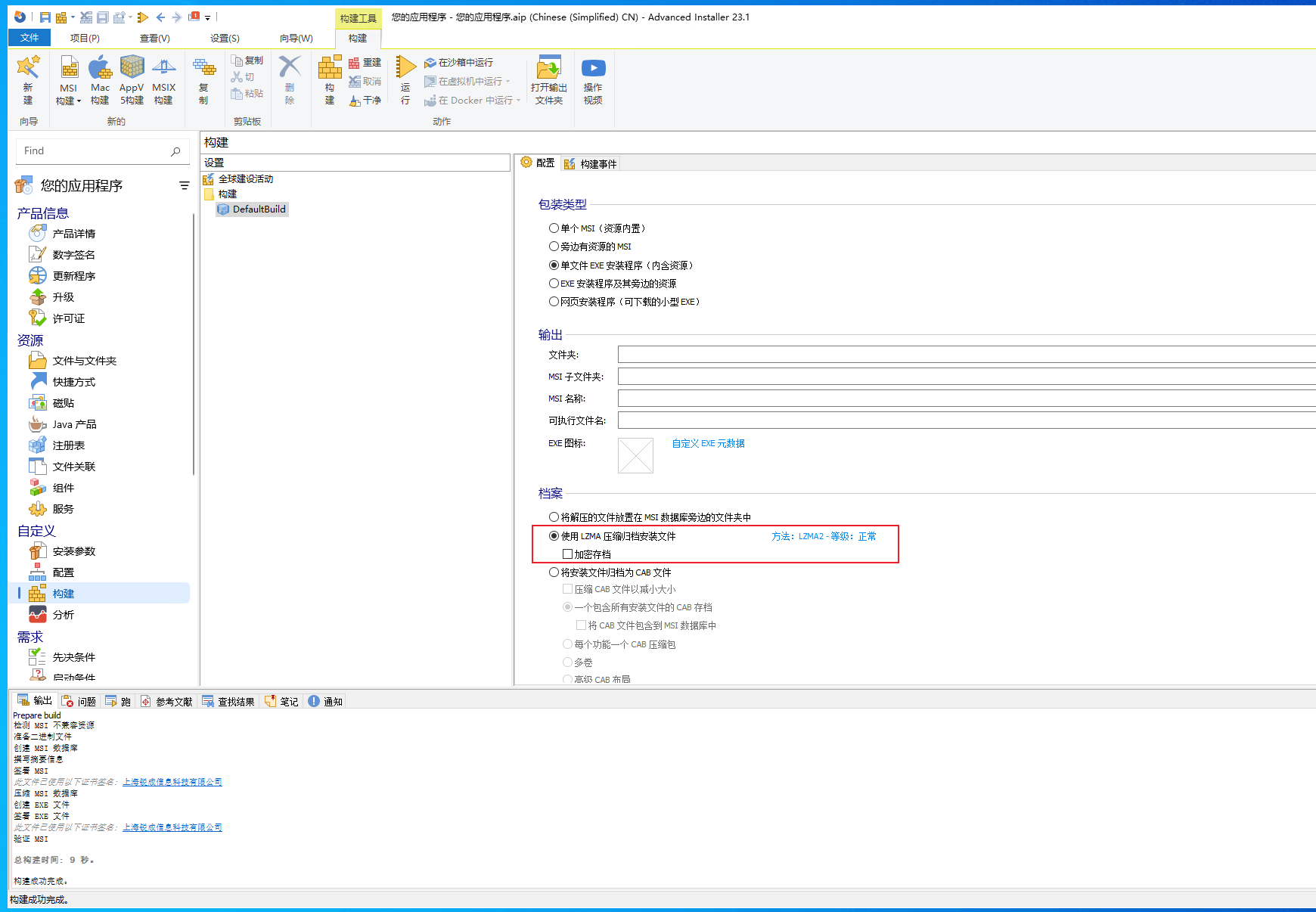
-
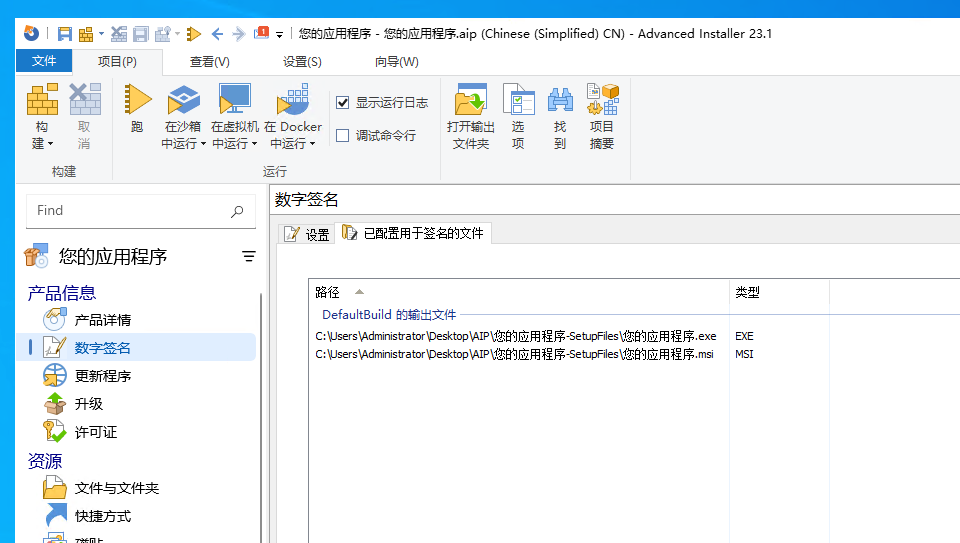
After modifying all configurations, you can see the files to be signed, i.e., the number of signing operations, in
Files configured for signingunderDigital Signature