Purchase Multi-Year SSL Certificates

This article explains how to purchase SSL certificates in bulk.


Log in to Your Account

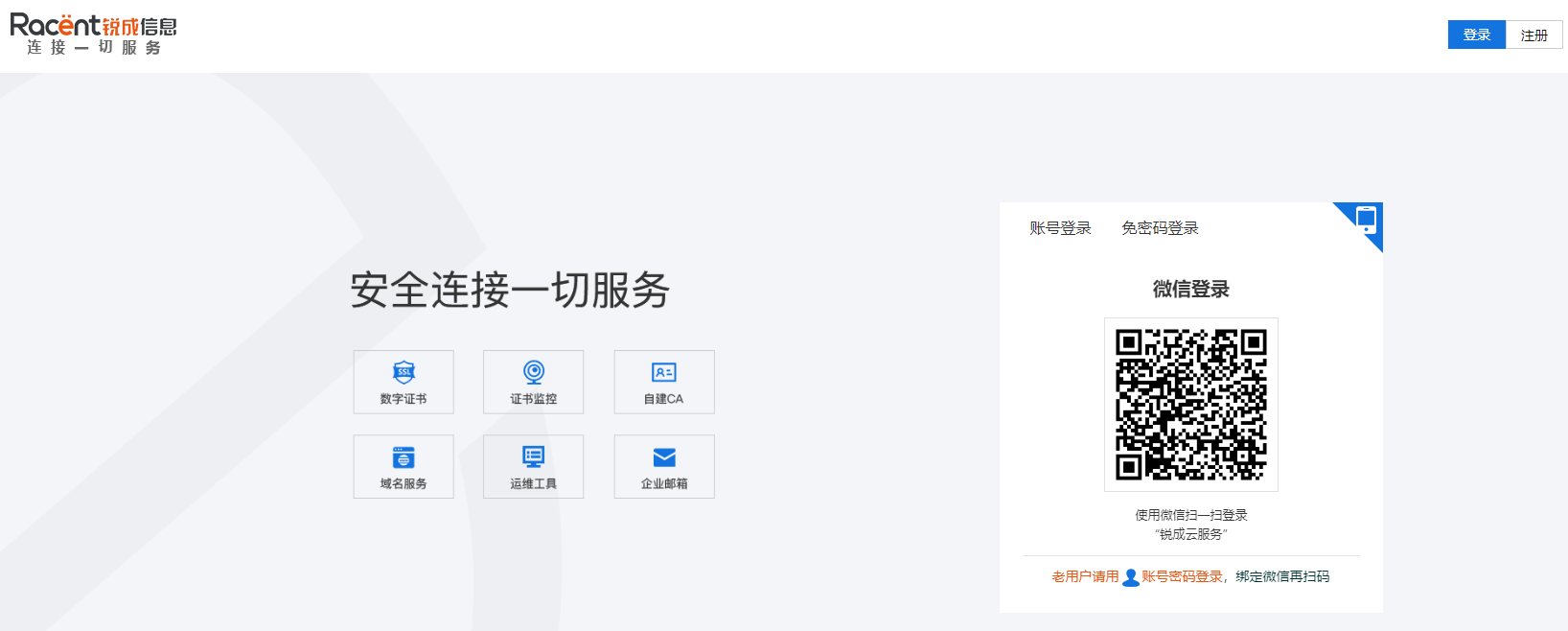
  1. Enter https://www.racent.com/ to access the Racent official website.

  2. Click Log In as shown in the figure (if you do not have an account, please register first).

    buysslstepbystep


Select and Purchase Certificates

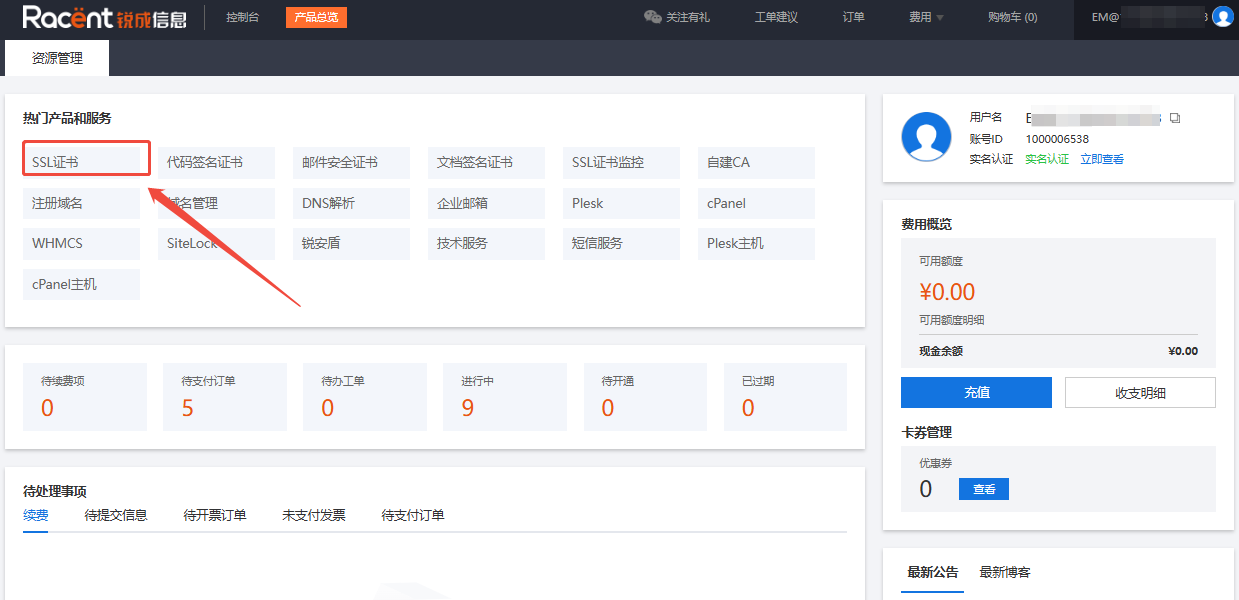
  1. After logging into your account and entering the Racent console, click the SSL Certificates option in the top-left corner.

    buysslstepbystep

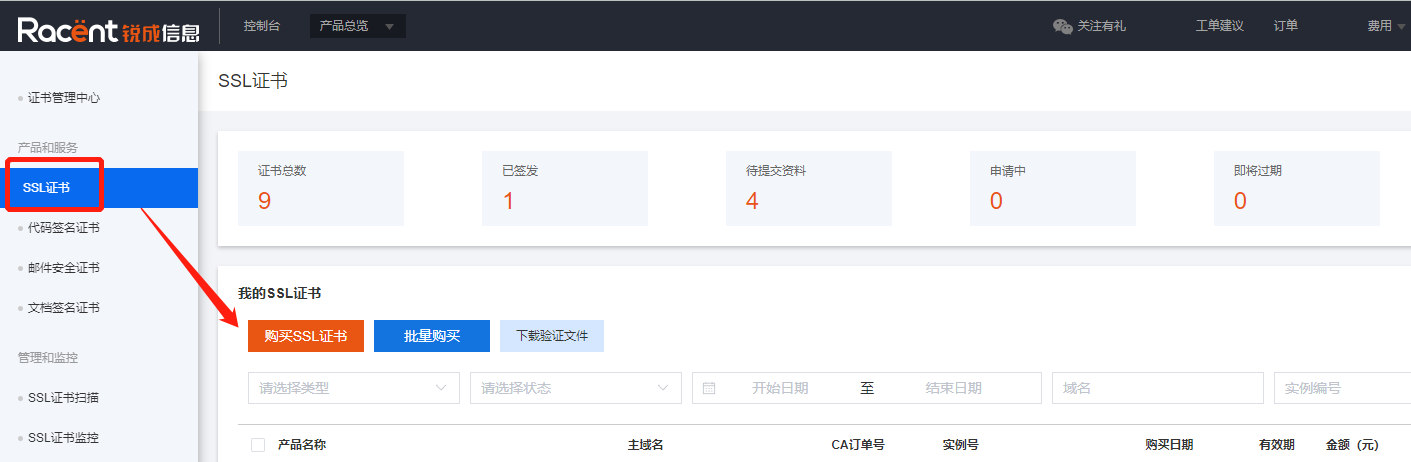
  2. Select SSL Certificates under Products & Services, then click Purchase SSL Certificates to enter the SSL certificate list page.

    buysslstepbystep

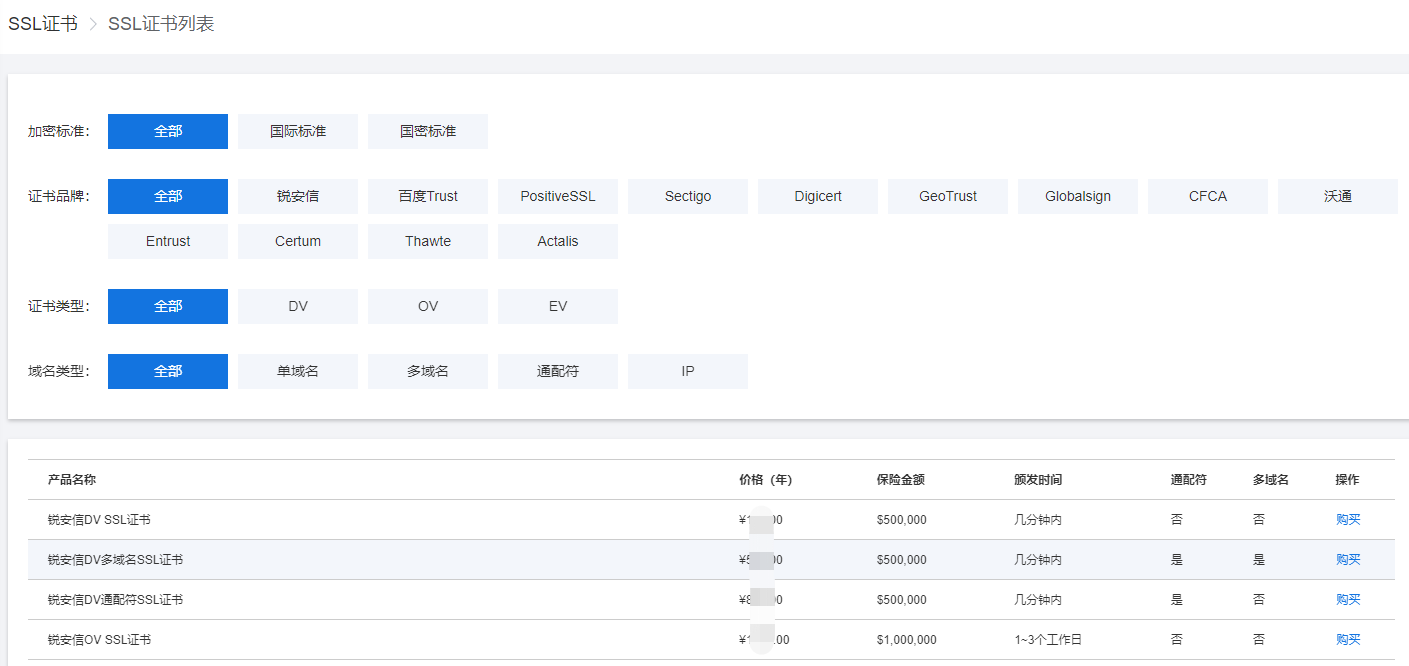
  3. On the SSL certificate list page, you can filter the required SSL certificates by encryption standard, certificate brand, certificate type, and domain type.

    buysslstepbystep


Select Certificate Validity Period

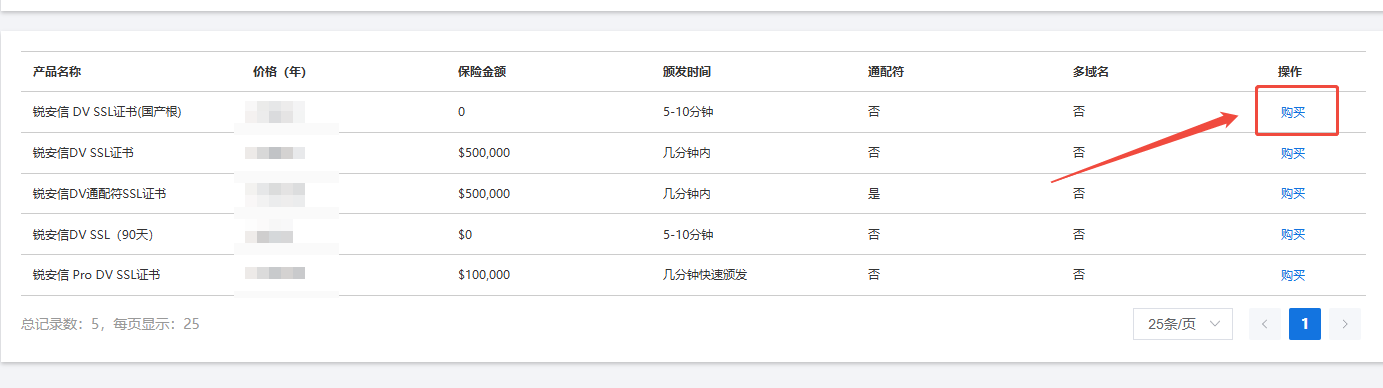
  1. Click the Purchase button to the right of the corresponding certificate to enter the purchase page.

    buysslstepbystep

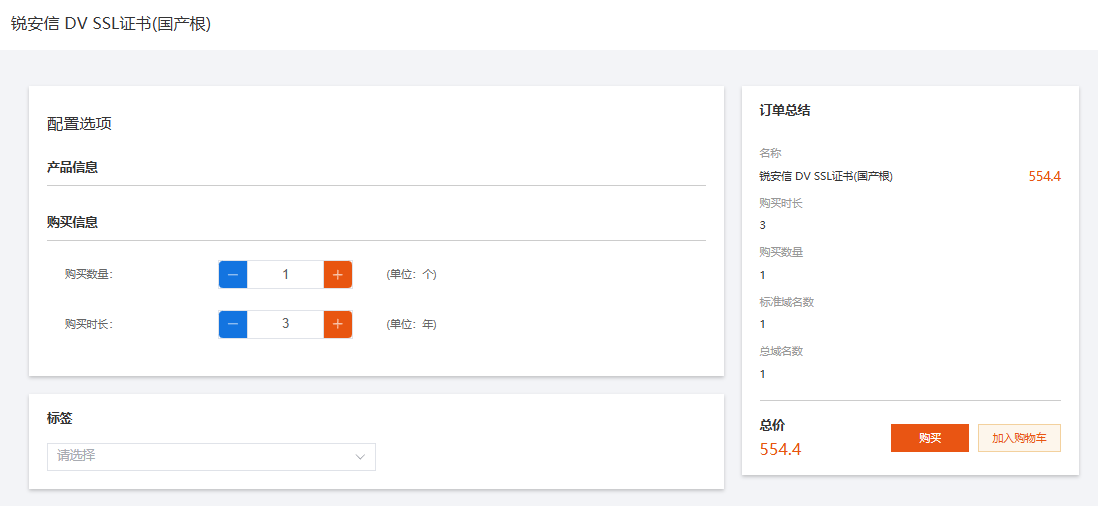
  2. On the purchase page, you can select the Purchase Quantity and Validity Period.

    Example: Here I am purchasing one three-year sslTrus SSL certificate, so adjust the Validity Period to 3 years.

    buysslstepbystep

  3. After completing the selection, the quantity on the right will update to 5, and the total price will be displayed below. Then click Purchase to proceed.

    buysslstepbystep

Tip

If you need to purchase other products, you can Add to Cart the products you want, and pay for all products together after you have finished selecting them.


Select a payment method and pay

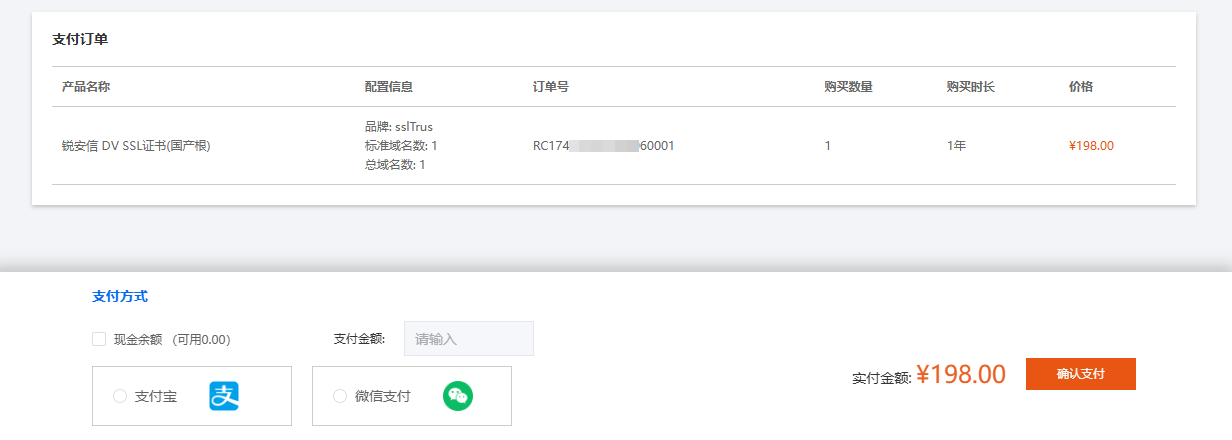
  1. After entering the payment page, check whether the product information for this order is correct.

    buysslstepbystep

  2. Select a payment method below, such as balance payment/WeChat Pay/Alipay, etc.

    buysslstepbystep

  3. After selection, click the Confirm Payment option on the right.

    buysslstepbystep