SSL Certificate File Validation Instructions

SSL file validation is a method used to validate SSL certificates, applicable to scenarios where users do not have domain management permissions but have server management permissions. Below are the detailed steps for SSL file validation.


Obtain Validation File Content

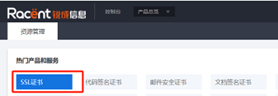
Log in to Racent

  • Click the "SSL Certificates" option.

    sslrefund

Validate File Content

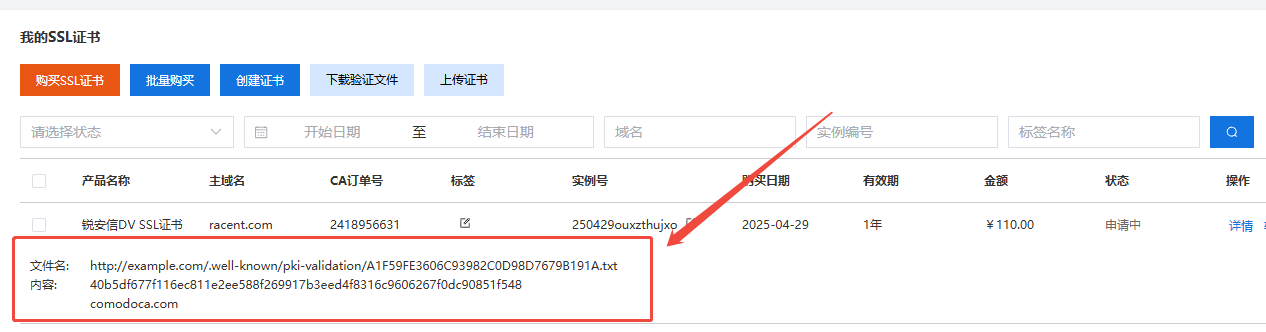
There are two places where you can view the validation file content:

  1. Locate the SSL certificate order for which you have submitted the information; the required "content" and "file name" for file validation will be displayed below it.

    sslrefund

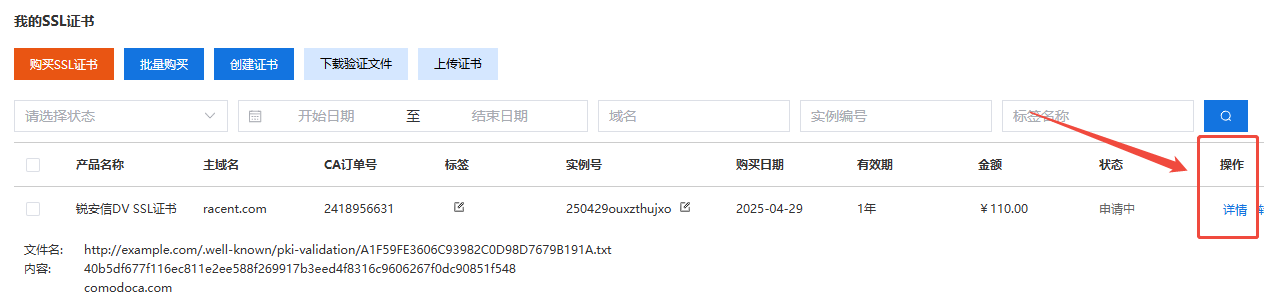
  2. Locate the previously submitted SSL certificate order and click the 'Details' option next to it.

    sslrefund

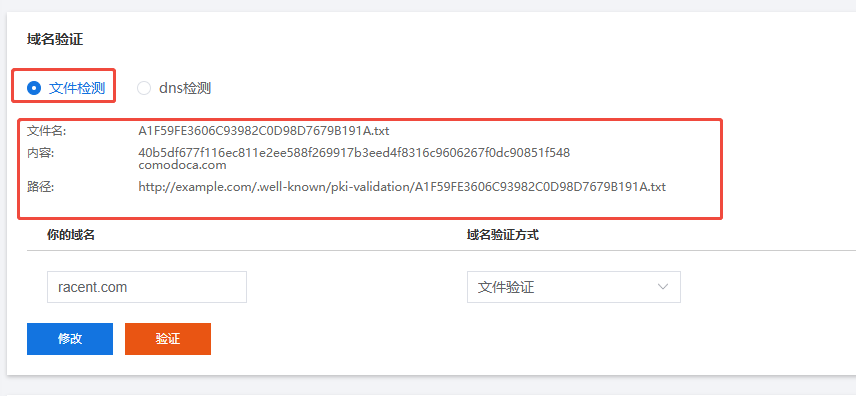
    After entering, scroll down to find the domain validation section, select file detection, and the required "content" and "file name" for file validation will be displayed.

    sslrefund


Place the Validation File in the Root Directory of the Domain Server

Prerequisite: You have obtained the validation file content. We use the content in the image above as an example:

A1F59FE3606C93982C0D98D7679B191A.txt
// 文件验证内容
40b5df677f116ec811e2ee588f269917b3eed4f8316c9606267f0dc90851f548
comodoca.com

Place the content you obtained at A1F59FE3606C93982C0D98D7679B191A.txt in the format .txt under the server root path of the domain name. The path is generally:

http://example.com/.well-known/pki-validation/A1F59FE3606C93982C0D98D7679B191A.txt

Tip

File validation must be performed separately for each domain name included in the certificate. For example, for a single-domain certificate covering example.com and www.example.com, you need to complete file validation and place .txt for each domain separately.

Additional Notes
  1. The site root directory is subject to the actual environment.

    • The default root directory for Nginx is: /usr/local/nginx/html/
    • The default root directory for Tomcat is: apache-tomcat/webapps/
    • IIS default root directory: inetpub\wwwroot\
  2. The first-level directory is a hidden directory starting with a dot. Run the following command under Windows:

    mkdir .wellknown
    Note

    CFCA supports validation on any port. For file validation of other brands, http requires the use of port 80; https requires the use of port 443.


Configuration Check

After uploading the validation file, you need to check whether the configuration is correct via the following links. Open your browser and visit the links below:

HTTPS configuration check link:

  • https://example.com/.well-known/pki-validation/A1F59FE3606C93982C0D98D7679B191A.txt

HTTP configuration check link:

  • http://example.com/.well-known/pki-validation/A1F59FE3606C93982C0D98D7679B191A.txt
Note

example.com and A1F59FE3606C93982C0D98D7679B191A.txt should be replaced with your file validation content

Note
  • For a single domain name, you need to add www. before example.com to check whether www.example.com is configured successfully.
  • The same applies to multi-domain certificates.

On the SSL certificate details page, click the validation button and wait patiently until the validation is completed. Once validation is completed, you can obtain the SSL certificate.

By following the steps above, you can successfully complete SSL file validation and ensure your website is secure and reliable.

info

OV and EV certificates also require completion of Organization Validation