Download SSL Certificate

Log In

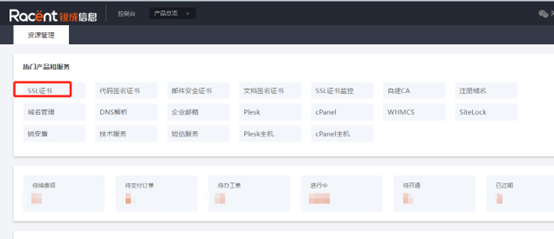
Log in to the Racent Console

Select an SSL Certificate

download-ssl

Download the Certificate

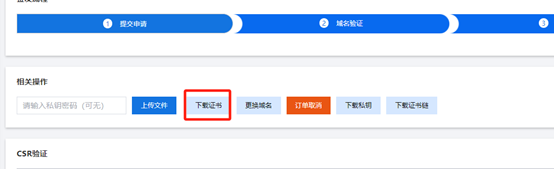
Click Details -> Download Certificate

download-ssl

download-ssl

Certificate formats: If the CSR was generated through the Racent Console, the issued certificate will include the following four formats

download-ssl

Special Case

If the CSR was provided by the customer, the private key is not stored in the console. After the certificate is issued, the customer needs to upload the saved private key via the "Upload File" button to obtain the certificate in full formats. download-ssl

Description of the Four Certificate Formats
  • Nginx: The crt file in the folder is the certificate public key, and the key file is the private key. The crt file combines the certificate chain and the public key.
  • Apache: The crt file in the folder is the certificate public key, key is the private key, and ca-bundle is the certificate chain.
  • IIS: The pfx file in the folder is the certificate, key is the private key, and password is the password. The pfx file contains the public key, private key, and certificate chain.
  • Tomcat: The jks file in the folder is the certificate, key is the private key, and password is the password. The jks file contains the public key, private key, and certificate chain.
Certificate File Extensions
  • DER: Common extensions include DER, .CER, .CRT
  • PEM: Common extensions include PEM, .CER, .CRT
  • PKCS#7: Certificate extensions include: .P7B, .P7C, .SPC
  • PKCS#12: Certificate extensions include: .P12, .PFX
  • JKS: The extension is .jks