Download Private Key


1. What is a certificate key

A certificate key (usually referring to the private key) is a core component of the SSL/TLS encryption system. It is generated by the user and must be kept strictly secure. The private key is used in pair with the public key certificate (such as the .crt file) to establish an encrypted channel for secure communications. The private key must be kept strictly confidential; any leakage may lead to security risks.


2. Functions of the certificate key

1. Encrypt and decrypt data

The private key is used to decrypt data encrypted with the public key, ensuring that only the server holding the private key can read the transmitted content and maintaining communication confidentiality.

2. Establish SSL/TLS secure connections

During the HTTPS handshake, the server uses the private key to verify its own identity, negotiates a session key with the client, and establishes an end-to-end encrypted channel.

3. Verify identity authenticity

The browser verifies whether the public key certificate is issued by a trusted Certificate Authority (CA) and checks the matching with the private key to confirm the server's real identity, preventing man-in-the-middle attacks.

4. Maintain data integrity

The private key participates in the signature generation process to ensure that transmitted data has not been tampered with. The receiver can verify the signature using the public key to confirm data integrity and source credibility.


3. How to obtain the certificate key

Certificates requested with CSR generated by Racent

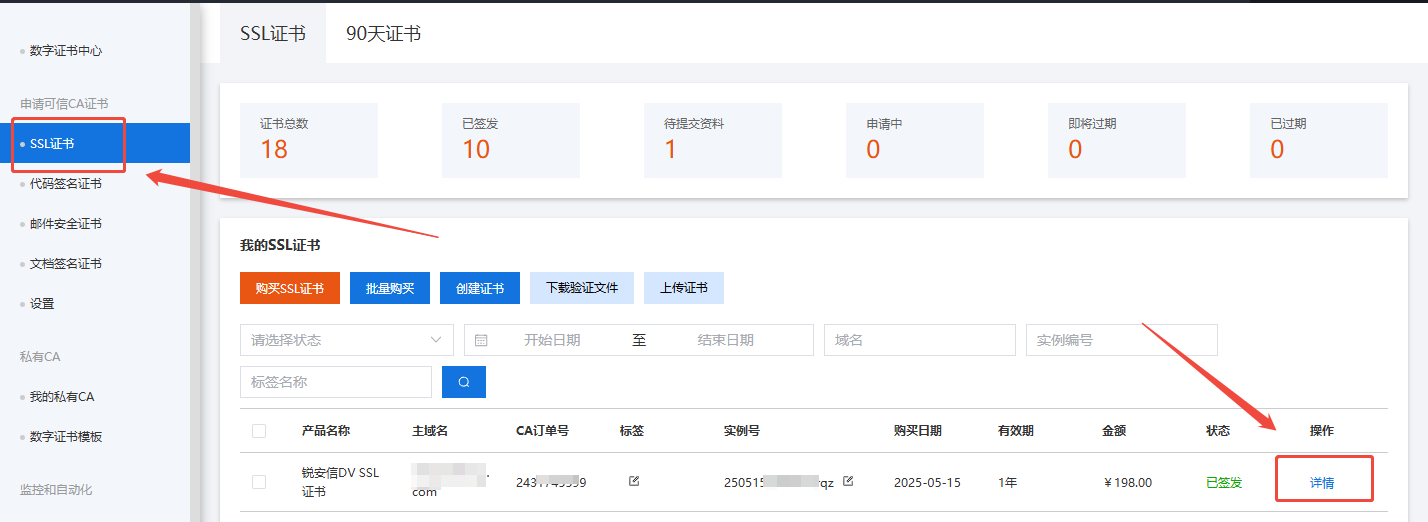
For certificates issued after using One-click CSR generation when submitting an SSL certificate request, the key can be downloaded on the platform. download-ssl The download steps are as follows:

  1. Log in to your account -> go to the SSL certificate page -> locate the certificate order for which you need to download the key and click Details download-ssl
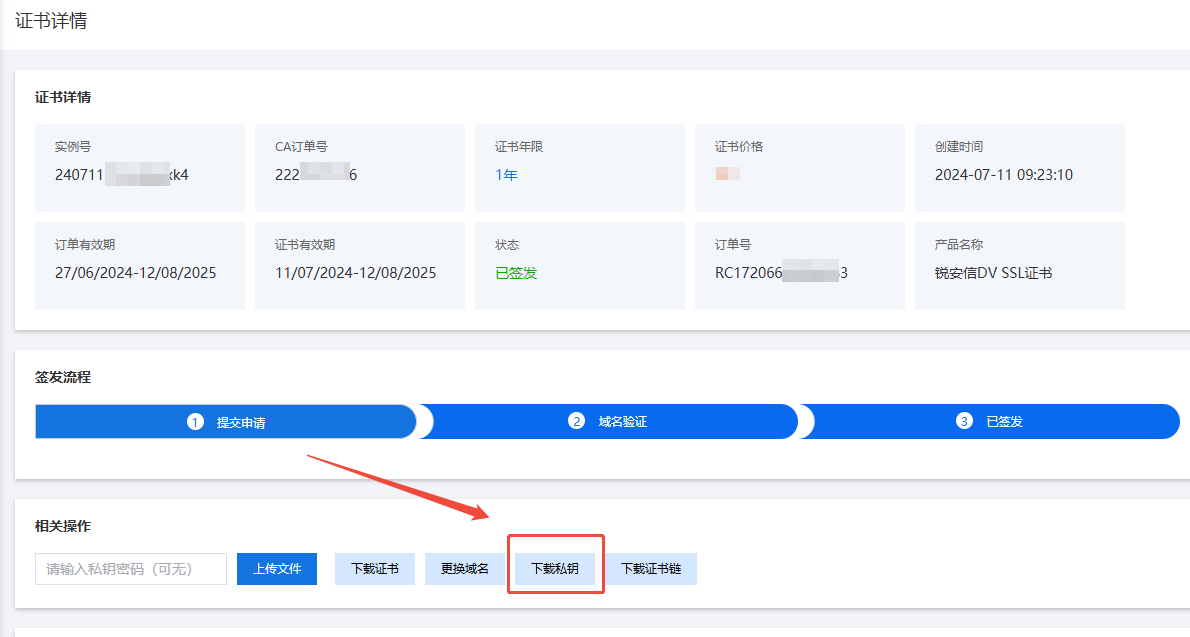
  2. After entering the certificate details page, click to download the Private Key to download the private key of this certificate download-ssl

CSR generated by external tools

For CSR generated by third-party tools, the private key for the certificate is provided when the CSR is generated.


Note

If the private key of the certificate is lost, you will need to submit a new certificate request.