如何在macOS系统安装根证书
-
进入macOS系统启动台。

-
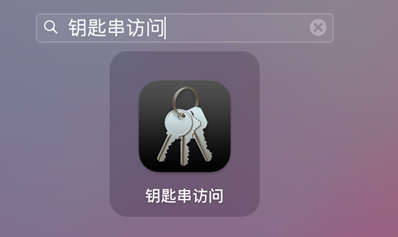
在启动台的搜索框,输入钥匙串访问,单击钥匙串访问。
-
在钥匙串访问页面,单击证书标签。

-
将下载的根证书,拖放至钥匙串证书页空白区域。
-
右键单击根证书,并单击显示简介。
-
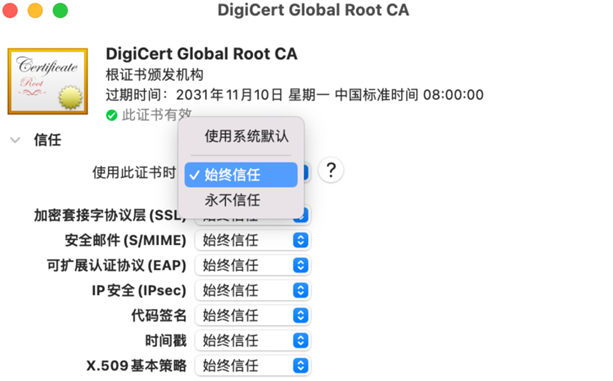
在证书简介页面,按照下图指引,选择始终信任。
进入macOS系统启动台。
在启动台的搜索框,输入钥匙串访问,单击钥匙串访问。
在钥匙串访问页面,单击证书标签。
将下载的根证书,拖放至钥匙串证书页空白区域。
右键单击根证书,并单击显示简介。
在证书简介页面,按照下图指引,选择始终信任。