How to Configure SSL Certificates for Intranet IPs
Currently, domestic brands such as sslTrus and CFCA offer SSL certificates that support HTTPS encryption for intranet IP addresses. After obtaining an intranet IP SSL certificate, you can configure it on your server (common types include Nginx, Apache, Tomcat, IIS, etc.). The process of implementing HTTPS authentication for intranet IP addresses is similar to the installation tutorial for domain SSL certificates.
You may refer to:
-
Tutorial for Installing sslTrus SSL Certificates on Nginx Servers
-
Tutorial for Installing sslTrus SSL Certificates on Tomcat Servers
-
Tutorial for Installing sslTrus SSL Certificates on IIS Servers
-
Tutorial for Installing sslTrus SSL Certificates on Apache Servers
However, after completing the server-side configuration of the intranet IP certificate, users also need to import the root certificate into the client to finally achieve https encryption and eliminate insecure warnings.
Solutions for Importing IP Root Certificates on Clients
There are two solutions for importing root certificates on clients: one is via domain controller push, and the other is via script execution.
Solution 1: Push Root Certificates via Domain Controller
This solution is suitable for enterprises with a large number of user clients in an intranet environment. By pushing the root certificate through the domain controller, all users in the domain will automatically receive the root certificate, eliminating the hassle of importing it separately on each client. The specific steps are as follows:
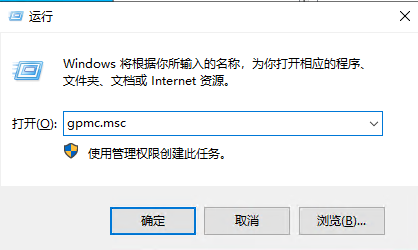
- Log in to the domain controller as an administrator and run
gpmc.mscGroup Policy Management.

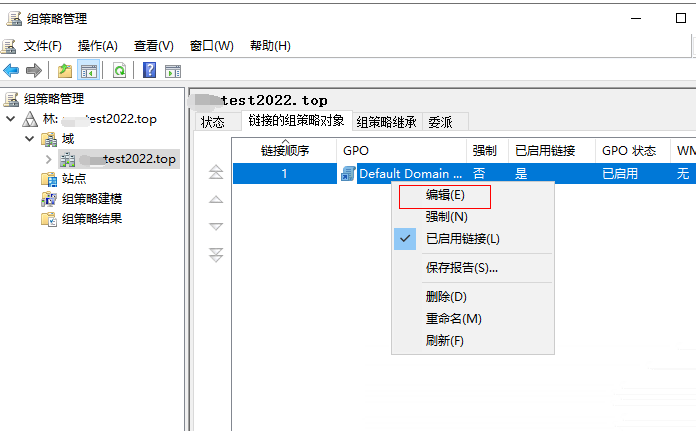
- Access the forest, edit the default GPO, or add a new GPO.

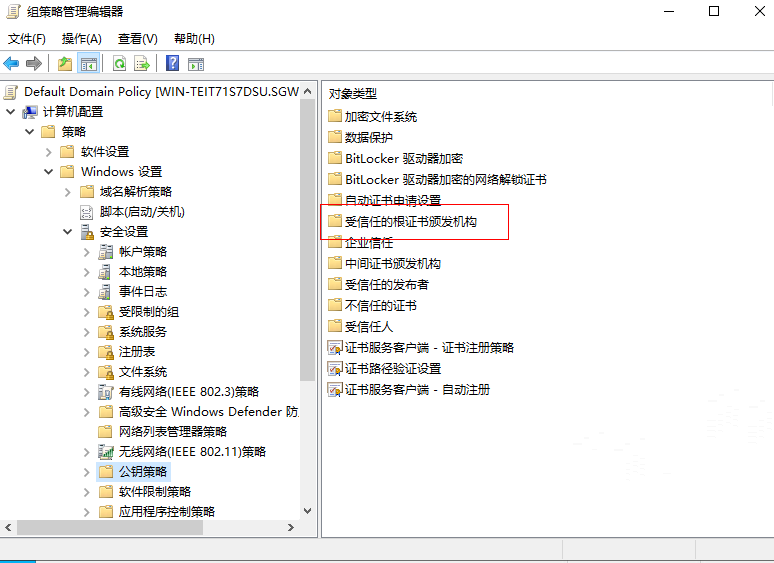
- Expand in sequence: [Computer Configuration] - [Policies] - [Windows Settings] - [Security Settings] - [Public Key Policies] - [Trusted Root Certification Authorities].

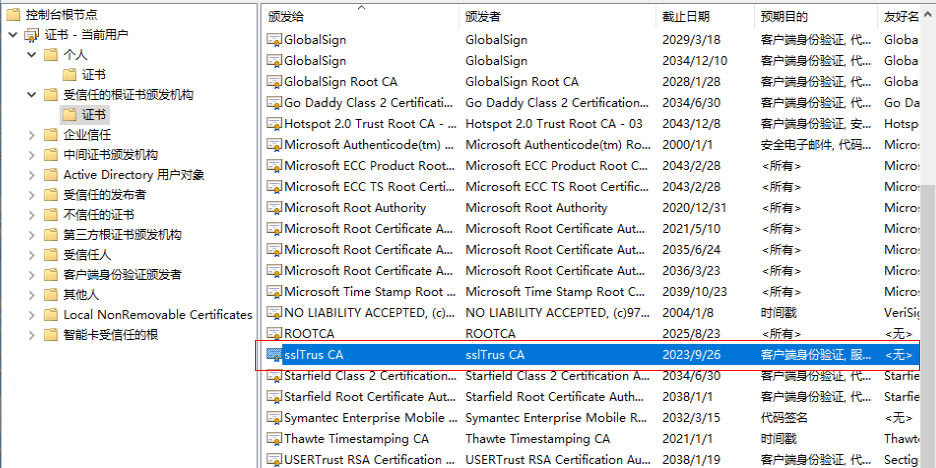
- Import the root certificate provided by Racent.

- After successful import, each client will automatically update the Group Policy within 90 minutes, or you can use the
gpupdate /forcecommand to force an update of the default domain policy.
- At this point, all users in the domain will receive the root certificate pushed by the domain controller.

Option 2: Import root certificate via script
This option is suitable for users who do not have a domain controller or do not want to use Group Policy. The specific steps are as follows:
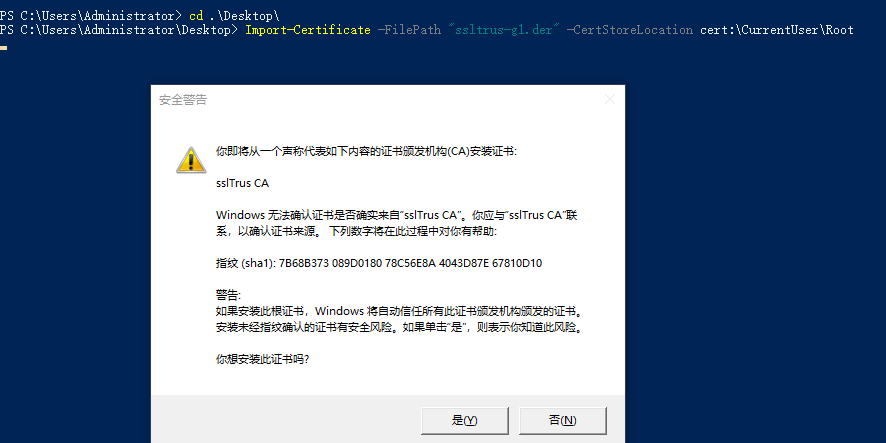
- To import the root certificate via script, you need to open
Windows powershelland enter the following inpowershell:
Import-Certificate -FilePath "ssltrus-g1.der" -CertStoreLocation cert:\CurrentUser\Root
The content inside the quotation marks is the actual path where the root certificate is currently stored.

- Click "Yes", and the import will be successful, as shown in the figure below:
Users can choose a suitable root certificate import scheme based on their own situation, complete the configuration of the intranet IP SSL certificate, and realize encrypted data transmission and identity authentication in the intranet environment.