Nginx服务器安装SSL证书
您可以通过将SSL证书安装到 Nginx 服务器,使 Nginx 服务器支持 HTTPS 安全访问。本文介绍如何在 Nginx 服务器安装SSL证书。
说明
本文档Nginx版本以 nginx/1.18.0 为例。
安装前请确认 443 端口未被占用,如果 443 端口已使用,请在安装证书时绑定其他端口。
获取证书
- 我们为您签发证书后将会给您颁发证书文件(.zip)压缩格式,压缩包中有四个文件夹分别对应四种证书格式:Tomcat、Nginx、IIS、Apache;Nginx 服务器需要用到 Nginx 文件夹内的证书。
- Nginx文件夹中将包含两个文件,
domain_com_integrated.crt证书文件domain_com.key私钥文件
安装SSL证书
- 将已获取到的
domain_com_integrated.crt证书文件、domain_com.key私钥文件从本地目录拷贝到Nginx 服务器的/etc/nginx/ssl目录下。
- 若
/etc/nginx/ssl目录不存在,可以通过mkdir -p /etc/nginx/ssl命令创建 - 不同安装方式之间目录位置可能存在差异,请根据实际情况为准。
- 编辑 Nginx 根目录下的
nginx.conf文件。修改内容如下:
nginx.conf
server {
     listen 443 ssl;
     #填写自己的域名,多个域名用空格隔开
     server_name racent.com;

     #填写证书文件的相对路径或绝对路径
     ssl_certificate cloud.tencent.com_bundle.crt;

     #填写私钥文件的相对路径或绝对路径
     ssl_certificate_key cloud.tencent.com.key;
     ssl_session_timeout 5m;
     ssl_protocols TLSv1.1 TLSv1.2 TLSv1.3;
     ssl_ciphers ECDHE-RSA-AES128-GCM-SHA256:ECDHE:ECDH:AES:HIGH:!NULL:!aNULL:!MD5:!ADH:!RC4:!DH:!DHE;
     ssl_prefer_server_ciphers on;
     location / {
         root /usr/share/nginx/html;
         index  index.html index.htm;
     }
 }
注意
由于版本问题,配置文件可能存在不同的写法。例如:Nginx 版本为 nginx/1.15.0 以下请使用 listen 443 和 ssl on 代替 listen 443 ssl。
修改后保存配置文件并执行以下命令:
nginx -t         #验证配置文件是否正确
nginx -s reload  #重载 Nginx
测试SSL证书
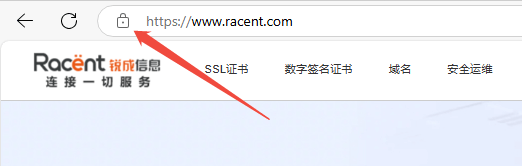
在浏览器地址栏输入绑定SSL证书的域名,测试您的 SSL 证书是否安装成功。如果成功,则浏览器地址栏会显示一个安全锁标志,点击可查看证书信息。
HTTP 自动跳转 HTTPS 的安全配置(可选)
如果您需要将 HTTP 请求自动重定向到 HTTPS,您可以通过以下操作设置:
- 使用Nginx重定向功能,在HTTP的
server中增加return 301 https://$host$request_uri;,即可将HTTP请求重定向为HTTPS。修改如下内容:
server {
 listen 80;
 #把http的域名请求转成https
 return 301 https://$host$request_uri;
}
- 重新启动 Nginx 服务器即可使用域名访问,实现
HTTP自动跳转HTTPS。