Install an SSL Certificate on Zhongqi Dongli
After the Certificate Authority (CA) issues the SSL certificate, you can download it from the Racent console. For the Zhongqi Dongli platform, you need to use the SSL certificate applicable to the Apache server from the downloaded certificate package for installation. The specific installation steps are as follows:
-
Log in to Zhongqi Dongli and enter the [Console].
-
Select [Management].

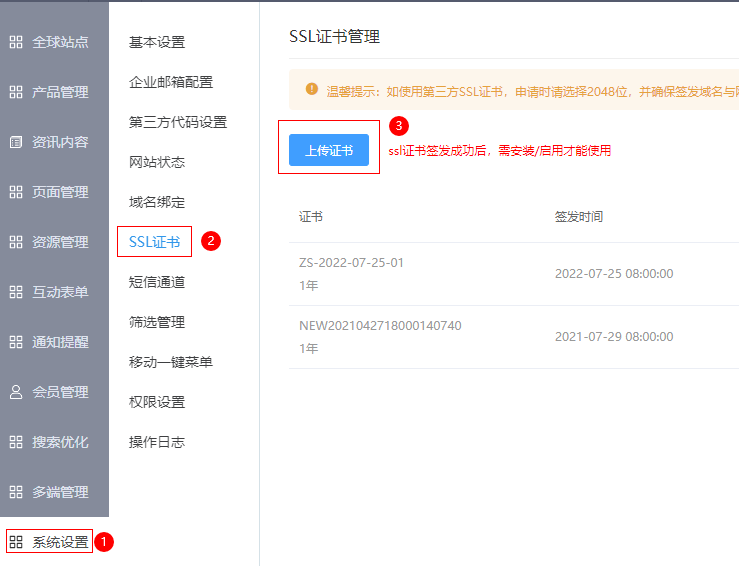
- Navigate to: [System Settings] > [SSL Certificate] > [Upload Certificate]

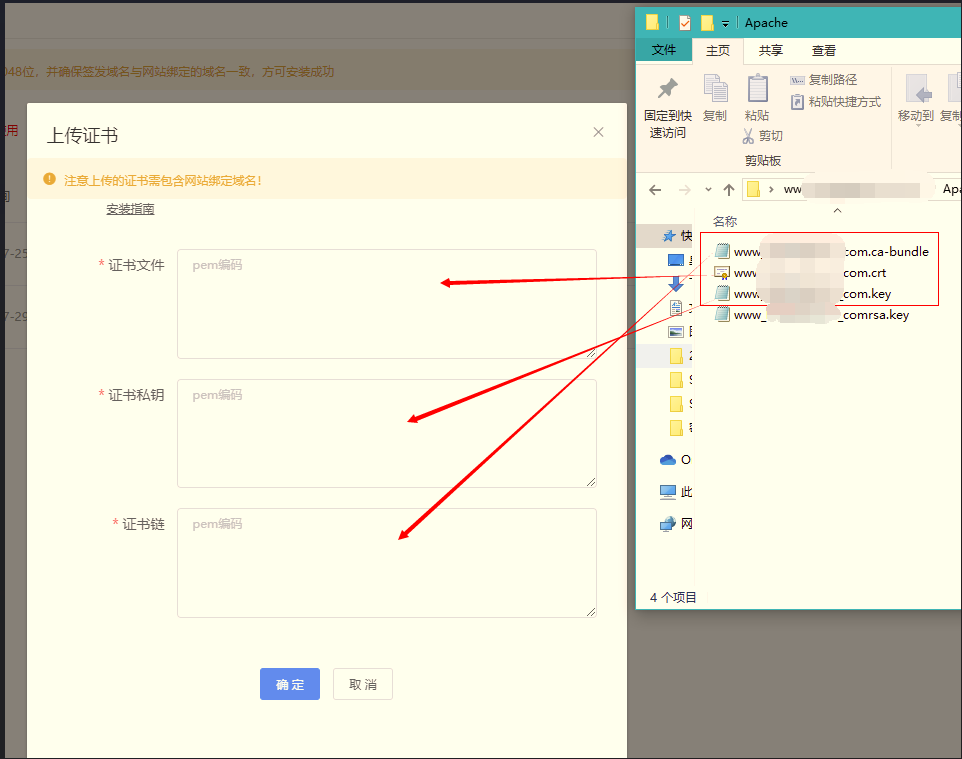
- Open the certificate file applicable to the Apache server downloaded from the Racent platform.
- Fill the certificate file, private key file, and certificate chain into the corresponding fields: the certificate file is the file with the suffix ".crt"; the certificate private key is the file with the suffix ".key" (Note: do not fill in the content of the rsa.key file); the certificate chain is the file with the suffix ".ca-bundle". Then click "Confirm" to save.

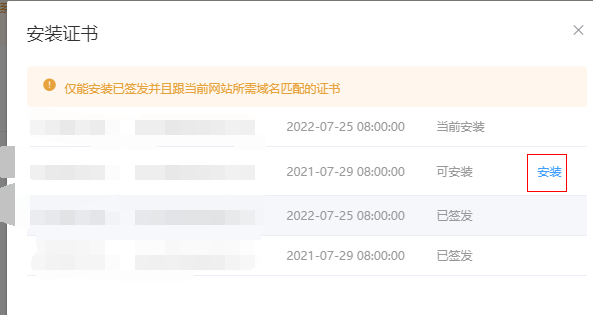
- Go to [Domain Binding] > [Replace SSL Certificate]

- Install the certificate: Find the newly uploaded certificate and click Install.

Conclusion: The settings may not take effect immediately after completion, because Zhongqi Dongli uses Baidu CDN, which requires synchronization to apply the configuration. If the configuration is successful but has not been updated, please contact Zhongqi Dongli staff for assistance.